Hermes Agent now browses with a copy of your real logins and cookies
Hermes Agent shipped real-profile browsing on 27 August: the agent gets a copy of your logins and cookies. Every other vendor is arguing about how much isolation to put in. Nous wrote the trade-off into its own manual instead.
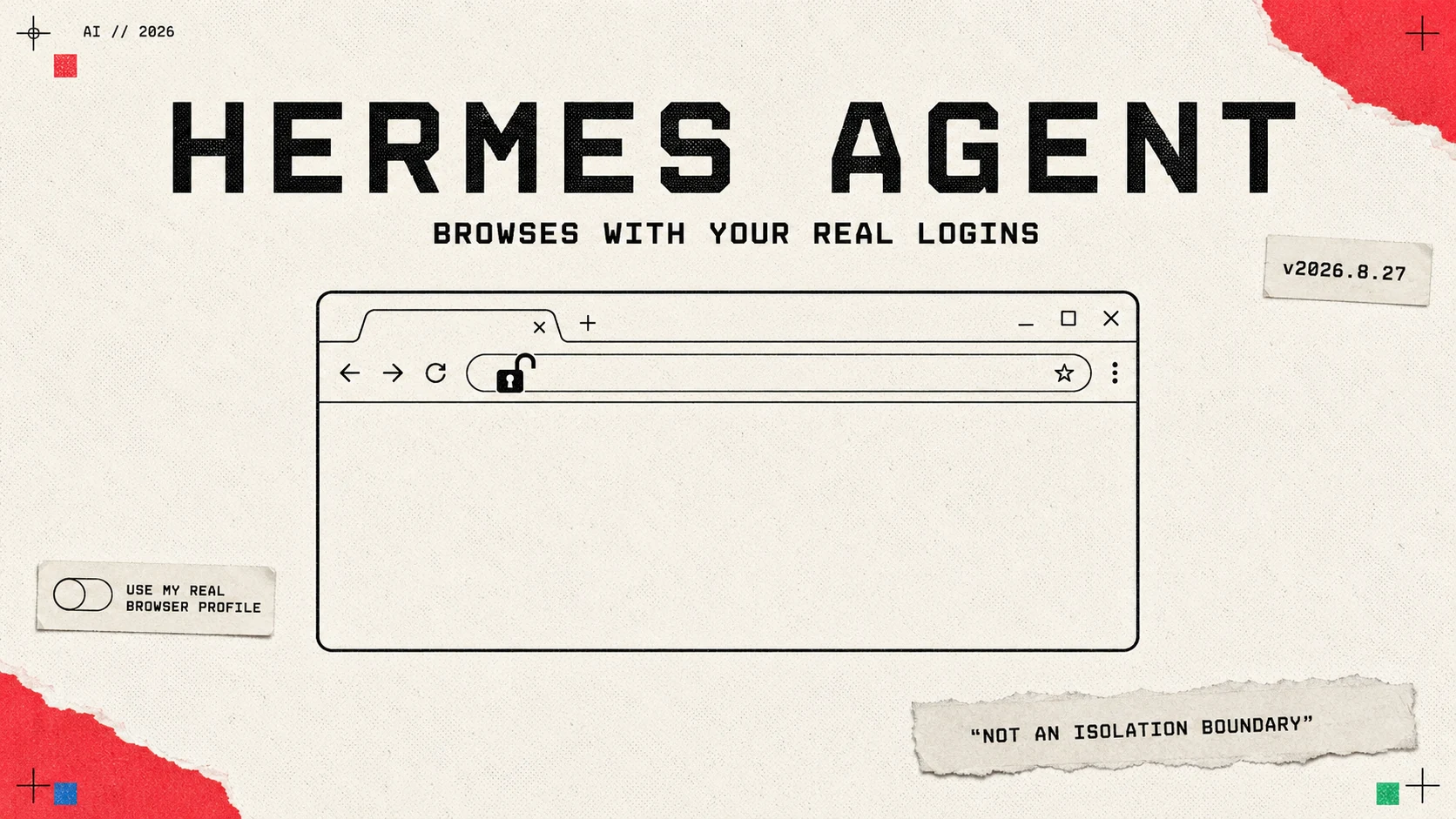
Nous Research shipped a feature in Hermes Agent v2026.8.27 on 27 August 2026 called real profile browsing. Switch it on and the agent copies your default Chromium profile, cookies, saved logins and preferences included, into a snapshot it drives, and browses the web as you.
Nous wrote the trade-off into its own manual, in a sentence most vendors would have had their lawyers take out.
What Nous wrote down
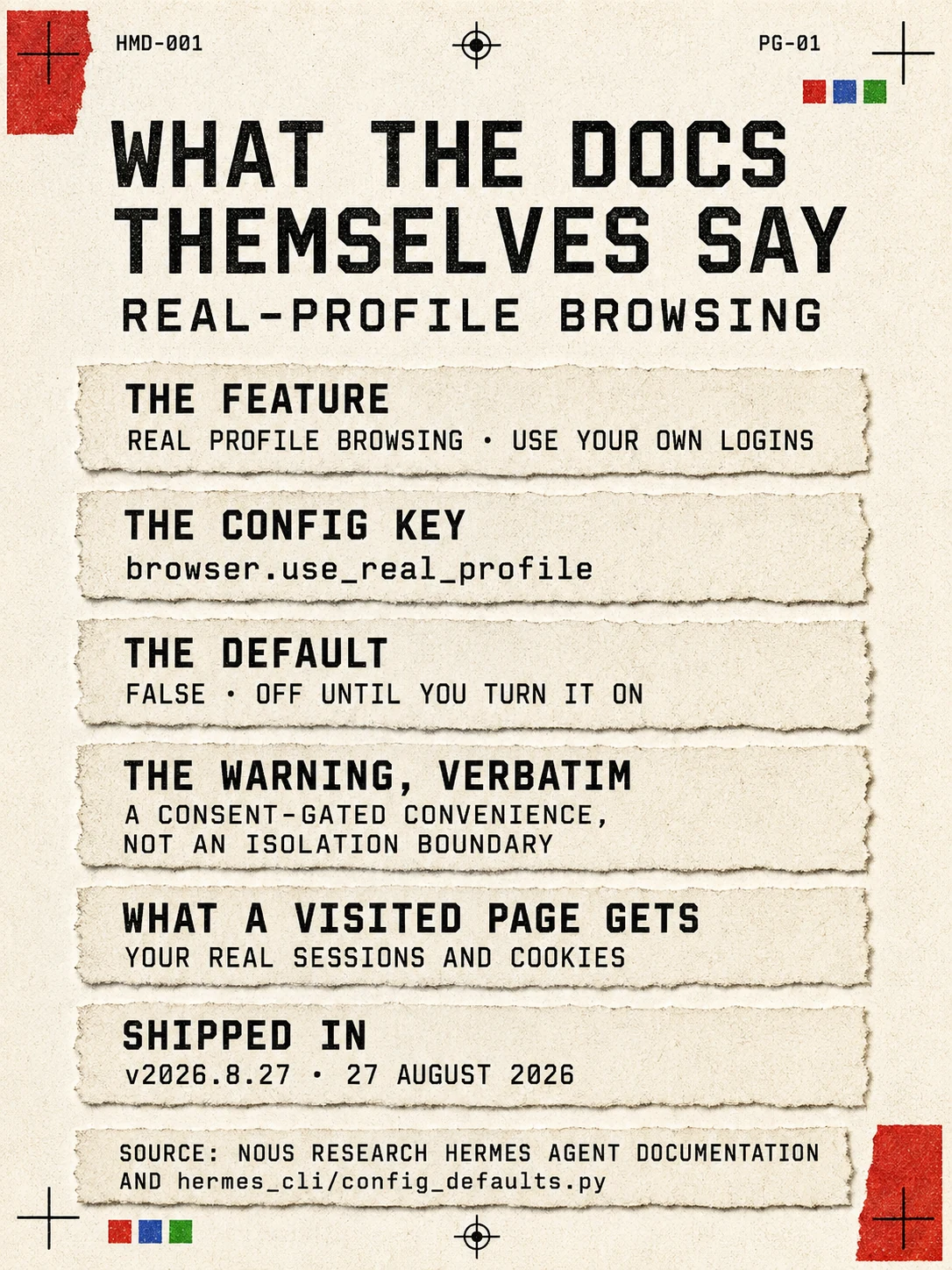
The section is headed “Real profile browsing (use your own logins)”, and its security note reads:
Security framing: this is a consent-gated convenience, not an isolation boundary. A page the agent visits runs with your real logins, so only enable it when you want the agent acting as you. Off by default.
Off by default is verifiable in code as well as prose: hermes_cli/config_defaults.py sets "use_real_profile": False. The desktop toggle sits at Capabilities, Tools, Browser, labelled “Use My Real Browser Profile”.
The engineering underneath is careful, which makes the disclaimer more interesting rather than less. Your live profile is never opened directly, because the snapshot is a separate directory that avoids fighting your running browser for the profile lock and sidesteps the block on remote-debugging the default profile that Chrome introduced at version 136. Only the active profile is copied. A pin naming a profile that does not exist fails closed rather than falling back. Turn the toggle off and Hermes deletes the snapshot store on the next browser use.
Two details cut the other way. The auth files are “re-synced from your real profile whenever a fresh session is launched, so logins you do in your own browser show up in the agent’s session”, which means the copy stays current rather than going stale. And the snapshot browser runs headless, with the documentation naming the consequence directly: it “never steals focus, so you can keep working while the agent tweets, fills forms, or scrapes on your behalf”.
Nous’s own backup code is the clearest statement of what the snapshot is. It excludes the directory from archives because it holds copies of the user’s cookies, login data and web data, a credential-bearing store.
Two defaults sit underneath it
The browser toolset has a JavaScript evaluation tool, and the documentation is explicit about its default:
Evaluation is unrestricted by default
A denylist exists and is opt-in, browser.restrict_evaluate, and the sentence introducing it names exactly the situation this article is about: it is for people who “browse hostile pages with a logged-in profile”. The config file confirms "restrict_evaluate": False.
There is also a raw Chrome DevTools Protocol passthrough, browser_cdp, and among the common patterns the documentation lists is browser_cdp(method="Network.getAllCookies"). So a session running on the real-profile snapshot has a documented route to the entire cookie jar.
Hermes documents prompt-injection scanning for context files, memory entries, cron jobs, skills and plugins. We found no documented scanning of fetched page content before it reaches the model, which is the surface that carries the risk once the browser holds real cookies.
The code does carry a defence the documentation never mentions. Output from any tool whose name begins browser_ or mcp_, along with web search and extraction, is wrapped in <untrusted_tool_result> delimiters before the model sees it, and the wrapper defangs any attempt by the page to forge or close that boundary itself. It marks the content as data rather than instruction, which is a different thing from scanning it, and it is the only mitigation on this path we found.
Everyone else is arguing about the boundary
Google’s position is the opposite architecture, stated as a prerequisite in the Gemini API Computer Use documentation: “Run your agent in a sandboxed VM or container to isolate it from your host system and limit its potential impact.” Its prompt-injection screenshot detection, in the same document, “is an opt-in feature. The default is false”.
Anthropic’s Claude in Chrome runs as an extension on the user’s own signed-in Chrome, with site-level permissions and action confirmations rather than isolation, and Anthropic published the numbers to go with that choice: 123 test cases across 29 attack scenarios, a 23.6% attack success rate without mitigations, 11.2% with them, and on a challenge set of four browser-specific attack types, 35.7% down to zero.
OpenAI has moved. Its Atlas browser, which ran agentic browsing on the user’s own machine, stopped working on 9 August 2026, and the company’s help centre now points people at the ChatGPT desktop app or a Chrome extension for the same work. Its Operator System Card, from January 2025, reports 23% prompt-injection susceptibility for the shipped model against 62% with no mitigations and 47% with prompting alone, and its API guidance recommends isolating the environment through virtual machines.
Browserbase, which Hermes lists among its own backends, sits at the far end: each session is a single cloud browser instance, and persisted logins live in Contexts that it says are “uniquely encrypted at rest to ensure security”.
Why isolation is the argument
The reference case is Brave’s disclosure of 20 August 2025 against Perplexity Comet. A hidden instruction inside a Reddit comment made the assistant read the user’s email address from their logged-in Perplexity account, trigger a one-time password to it, read that code out of the already logged-in Gmail tab, and post both back as a Reddit reply.
Brave’s researchers, Artem Chaikin and Shivan Kaul Sahib, put the underlying problem in one line: “The AI operates with the user’s full privileges across authenticated sessions, providing potential access to banking accounts, corporate systems, private emails, cloud storage, and other services.” Their recommended mitigation is a heading in the same post: “The browser should isolate agentic browsing from regular browsing”.
Hermes has no published incident of this kind, and the feature is four days old. What it has is the property Brave named, adopted deliberately, and a manual that says so.
The company knows the shape of the risk
Nous is not naive about this, and the evidence is elsewhere in its own documentation. The computer-use page carries a warning about unrestricted mode that could stand as the summary of the whole category:
YOLO/unrestricted mode does not protect against prompt injection or unintended input. Use it only in a disposable VM or with accounts and data whose full compromise you accept.
That advice sits one page away from a browser feature designed to run with the accounts whose compromise you would least accept, off by default, behind a toggle, with the consequence written on the label. Whether that is the right trade depends on the task. It is at least a trade the user can see before making it, which is more than the category has generally offered.
Sources
- Hermes Agent browser automation documentation (Nous Research)hermes-agent.nousresearch.com
- The source markdown for that pageraw.githubusercontent.com
- Hermes Agent config defaultsraw.githubusercontent.com
- Hermes Agent computer-use documentationraw.githubusercontent.com
- Hermes Agent security overviewhermes-agent.nousresearch.com
- Piloting Claude in Chrome (Anthropic)claude.com
- Gemini API Computer Use documentation (Google)ai.google.dev
- Agentic browser security: indirect prompt injection in Perplexity Comet (Brave)brave.com
- Unseeable prompt injections (Brave)brave.com
- Operator System Card (OpenAI)cdn.openai.com
- Evolving Atlas into ChatGPT for browser-based agentic work (OpenAI Help Center)help.openai.com
- Hermes Agent tool dispatch helpers, which wrap untrusted tool outputraw.githubusercontent.com
- Browserbase contexts documentationdocs.browserbase.com
- Browserbase session documentationdocs.browserbase.com