
AI browsers
the browsers, the extensions and the agents that click for you
Key facts
- 3browser, extension, coding agent
- Ways in
- GAall paid plans, 26 Aug 2026
- Claude in Chrome
- Desktop appnot the CLI or IDE extension
- Codex browser
- Freeon every plan since Oct 2025
- Comet
- Oct 25-Aug 26launched, then switched off
- Atlas
An AI browser lets the chatbot drive: it reads the page you are on, then clicks, types and fills forms while you stay logged in. It now reaches you three ways. Perplexity's Comet is a whole browser, free on every plan. Claude in Chrome is an extension inside the browser you already use. And the coding agents drive a browser too: Codex does it inside the ChatGPT desktop app, and Claude Code does it from the terminal. OpenAI's Atlas, the first standalone AI browser from a big lab, was switched off on 9 August 2026. Every one of them can be fooled by instructions hidden in a web page.
An AI browser puts an agent where your logged-in life already is: it reads the page you are on, clicks, types, fills forms and carries out multi-step tasks across the sites you use. The idea reached people three different ways, and by September 2026 the shape of the field had changed. OpenAI’s ChatGPT Atlas, the first standalone AI browser from a frontier lab, launched in October 2025 and was switched off on 9 August 2026. What grew instead was browser use inside the tools people already had open: Codex drives a browser in the ChatGPT desktop app, and Claude Code drives one from the terminal. Everything below comes from the vendors’ own documentation, checked on 20 September 2026.
Three ways an agent gets into your browser
| Shape | What it means | Examples today |
|---|---|---|
| A whole browser | You install a new browser with the assistant built in | Comet, Opera Neon, Dia, Polar |
| An extension | The agent joins the browser you already trust | Claude in Chrome, the Codex Chrome extension |
| Inside your agent | The agent opens and drives a browser for you, rather than yours | Codex in the ChatGPT desktop app, Claude Code, Claude’s desktop browser |
The structural choice decides what the agent can see. A whole browser owns the surface: tabs, history, everything you browse. An extension borrows the browser you already trust and your existing logins. An agent-driven browser starts clean, with no history and no sessions, until you hand it something.
Atlas is the evidence that the first shape is the hardest to sustain. OpenAI folded its standalone browser and kept the agent, putting browser use into the ChatGPT desktop app and Codex, which is to say into the shape its rivals already had.
Codex drives a browser, but only in the desktop app
Codex can open pages, click, type, inspect rendered state and take screenshots, and OpenAI’s own documentation is blunt about where: “Browser isn’t available in Codex CLI or the Codex IDE extension. Open the ChatGPT desktop app to use the built-in browser.” The documented use is checking its own work, with OpenAI’s example being to open a local development server, reproduce a layout bug and fix it.
The capability arrived in stages through 2026. An early in-app browser shipped on 16 April, browser use followed on 23 April, and on 11 June came Developer mode, which hands Codex controlled access to the Chrome DevTools Protocol so it can profile JavaScript, read console output and network traffic, and inspect the DOM and applied styles. Codex became part of the ChatGPT desktop app on 9 July. Since 25 August it can also drive Microsoft Edge, Brave, Opera and Vivaldi as well as Chrome, and websites can offer it their own tools through WebMCP.
Administrators can switch off the deepest access: setting browser_use_full_cdp_access = false disables full DevTools access for an organisation, and Codex asks for explicit approval before using it on a site.
Claude Code drives one from the terminal
Claude Code drives a browser from the command line, which is the mirror image of Codex’s choice. It runs through the Claude in Chrome extension, exposed to Claude Code as an MCP server called claude-in-chrome and started with claude --chrome. Anthropic documents it for live console and DOM debugging, checking a build against a Figma mock, testing forms and web apps, working inside apps you are signed into such as Gmail or Notion without an API connector, extracting structured data to local files, and recording a session as a GIF.
Browser actions run in a visible Chrome window in real time, and Claude pauses at a login page or a CAPTCHA for you to handle. It works with Chrome and Microsoft Edge, and detects the extension in other Chromium browsers including Brave, Arc, Vivaldi and Opera. It needs a direct Anthropic plan, so it does not work through Bedrock, Google Cloud or Microsoft Foundry.
The same job, two opposite homes
| Codex | Claude Code | |
|---|---|---|
| Where it runs | ChatGPT desktop app, macOS and Windows | The terminal, via claude --chrome |
| How it connects | Built-in browser, plus a Chrome extension | The Claude in Chrome extension as an MCP server |
| Browsers driven | Chrome, Edge, Brave, Opera, Vivaldi | Chrome, Edge, and Brave, Arc, Vivaldi, Opera by detection |
| Deep debugging | Chrome DevTools Protocol, admin-switchable | Console and DOM inspection through the extension |
The split is the useful thing to know. OpenAI put browser use in the app and kept it out of the terminal; Anthropic put it in the terminal and built a separate browser into its desktop app. Which one suits you follows from where you already work rather than from which model is stronger.
Atlas lasted ten months
Atlas launched on 21 October 2025, “a new web browser built with ChatGPT at its core” in OpenAI’s words, worldwide on macOS from day one with Windows, iOS and Android promised. It brought agent mode in preview for paying users, opt-in “browser memories”, and safeguards OpenAI described at launch: no code execution, no file downloads, no extension installs, and a pause on sensitive sites such as banks.
The promised platforms never arrived. On 9 July 2026 OpenAI announced a thirty-day wind-down, and on 9 August 2026 Atlas stopped working. The company’s stated reason: “We’re deprecating Atlas and moving browser-based agentic capabilities into ChatGPT and Codex.” Users had to export bookmarks and history by hand, because a discontinued browser “may degrade or stop receiving security updates”. The launch post now carries a banner marking the product as deprecated. For agentic browsing OpenAI now points at the ChatGPT desktop app, and for lighter help at its Chrome extension and sidebar, which is to say: at the shape its two rivals already had.
Claude in Chrome puts the agent in your existing browser
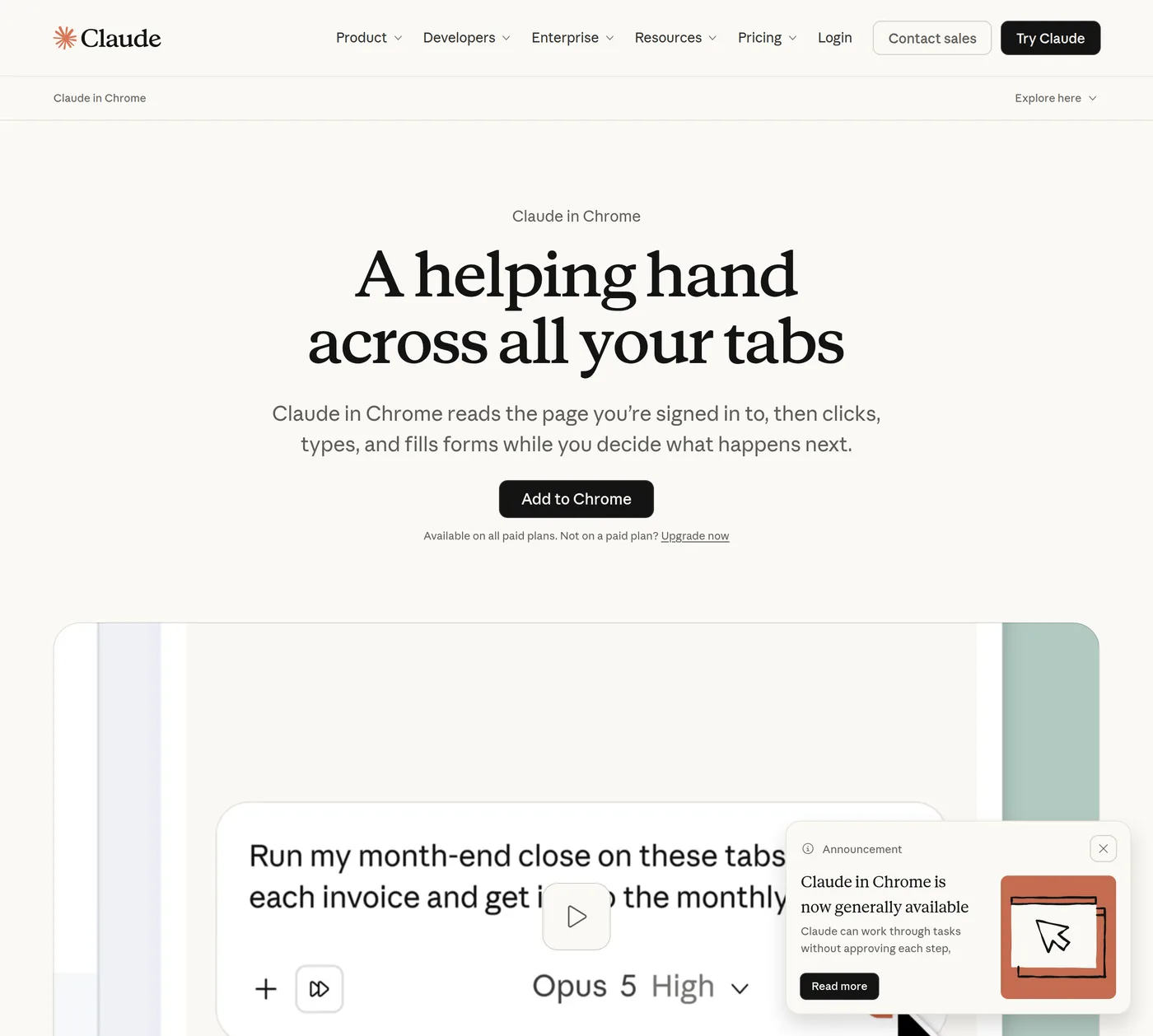
Claude in Chrome became generally available on every paid Claude plan on 26 August 2026, after a year of staged release: a pilot with 1,000 Max subscribers in August 2025, all Max users that November, and Pro, Team and Enterprise in December. From a side panel it views the page you are on and, in Anthropic’s words, can take “actions like reading and typing text, clicking links, navigating between pages, and filling out forms, using your existing logins”. The target is the software that has no API worth connecting to: internal dashboards, legacy systems and vendor portals.
You choose the leash. In the automatic mode Claude screens its own actions and pauses when something needs you, with a safety classifier checking each action before it runs; in the manual mode you approve every step. Adult and pirated-content sites are blocked outright, Claude asks before touching financial sites, and it is barred from trading, bypassing captchas and entering sensitive data. Administrators on Team and Enterprise plans keep site allowlists and blocklists. It does not run on mobile, and organisations covered by HIPAA cannot use it.
Claude also has a browser of its own
Anthropic shipped Claude its own browser on 26 August 2026, the same day the extension reached general availability. It lives in the desktop app: when a task needs a website, a browser opens in the side panel and Claude navigates, reads, clicks and types. There is no extension to install, and it starts with nothing of yours, in Anthropic’s framing “Claude’s browser, not yours”, which “never sees your tabs, bookmarks, or passwords”. You can carry logins over site by site, from Chrome, Edge or Firefox on macOS and from Firefox on Windows and Linux, and banking, email and single sign-on sites are left out unless you add them.
It runs on macOS and Windows, with Linux in beta, and it works from the web or a phone as long as the desktop app is open. Where both exist, the extension wins: if you already use Claude in Chrome it stays the default. The division Anthropic suggests is that its own browser handles independent errands, such as gathering research or pulling invoices from a portal, while the extension handles the page you already have open and are signed into.
When Cowork and chat merged into one Claude on 16 September 2026, the browser feature carried across unchanged; what changed was the way in, with no separate mode to select.
Comet is still shipping, while Perplexity talks about Computer
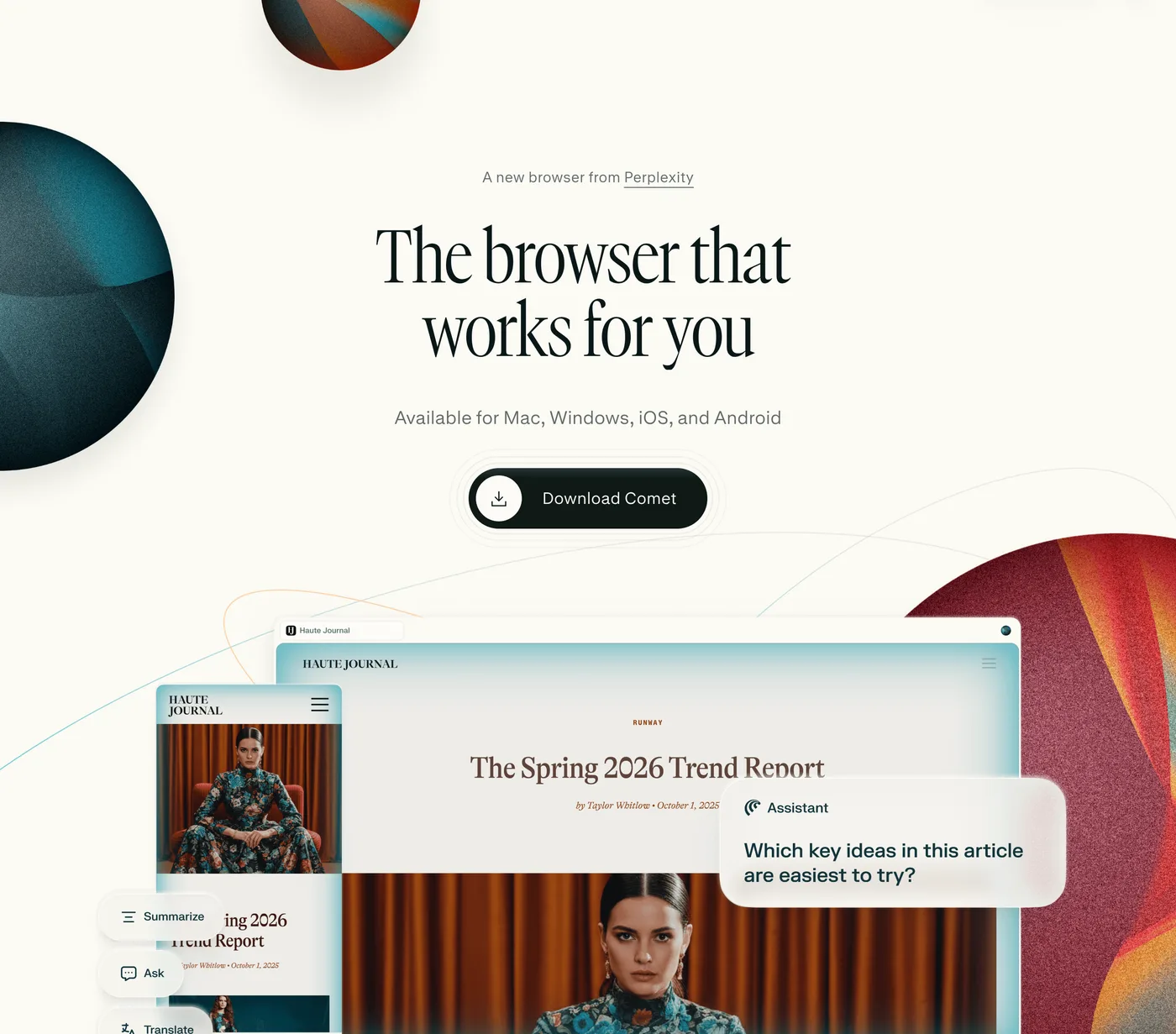
Comet is alive and updating. Perplexity shipped it to a waitlist on 9 July 2025 and made it free for everyone on 2 October 2025: “Today we are releasing the Comet browser to the world, for free.” Its Android listing passed a million downloads with nearly 39,000 reviews, and its iOS build was updated on 19 September 2026, on a roughly fortnightly cadence through the year. The browser is free while the agent is tiered: Comet Assistant is bundled across the free, $20 Pro and $200 Max plans rather than sold on its own, and Comet Plus, a $5 content subscription inside Pro and Max, pays publishers whose work the assistant uses.
The company’s attention has moved, though. Perplexity’s changelog ran seven straight entries from 10 May to 24 August 2026 about Computer, its broader agent product, with no Comet headline in that run. Computer sits beside Comet rather than replacing it: Perplexity calls Comet “the foundation for this technology ecosystem” and Computer “the next evolution beyond Comet Assistant”, and one August entry folds Computer’s capabilities into Comet Assistant. Computer is what HP preinstalled on its ZBook Ultra G3a workstation on 15 September 2026, in an announcement that never mentions Comet by name.
Usage figures deserve a warning. The adoption numbers circulating for Comet, in the tens of millions of users, trace to stat-aggregator sites with no company release, filing or executive quote behind them. Perplexity has published no Comet-specific figure that survives checking.
Prompt injection is the risk every vendor names
An agent that reads pages and holds your logins can be attacked through the pages themselves: instructions hidden in a web page that the model mistakes for yours. The clearest public demonstration hit Comet. Brave’s security team showed in August 2025 that a Reddit comment hidden behind a spoiler tag could, via Comet’s own summarise button, walk the assistant into its user’s account page and Gmail and exfiltrate the email address and a one-time passcode: “the attacker learns the victim’s email address, and can take over their Perplexity account.” Brave’s disclosure records two rounds of fixes and ends by reporting the attack still worked on retest; that note, appended to the 20 August 2025 disclosure, is Brave’s last public word on it.
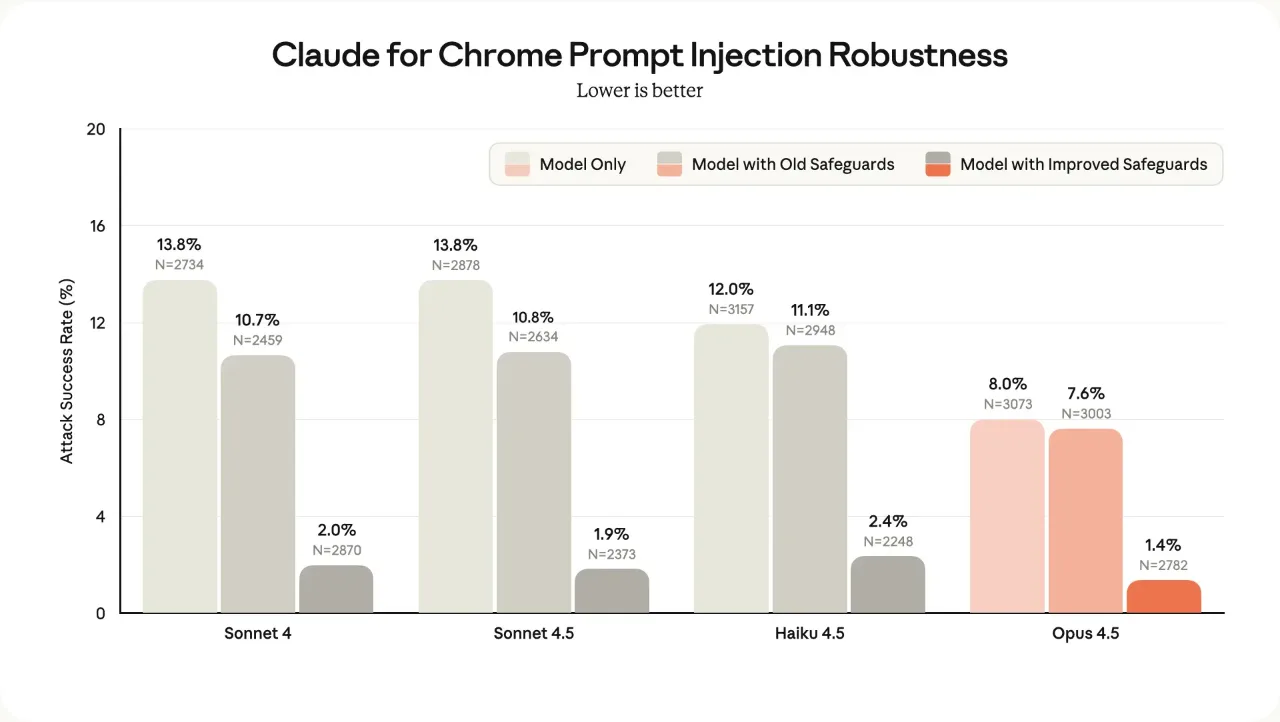
Anthropic is the vendor publishing numbers, and it published a fresh set with the general availability of Claude in Chrome on 26 August 2026, against what it calls stronger attacks sourced by professional red-teamers. On that harder benchmark, attacks that reached the model succeeded 17.6% of the time against Opus 4.5 and 3.8% against Opus 5, before any additional safeguards. Running with probes and the safety classifier, no attack succeeded against Sonnet 5, Opus 5 or Mythos 5, and Fable 5 was reached 0.3% of the time.
Read those against the older figures rather than as a continuation of them, because Anthropic says the benchmark changed: its 2025 pilot put the undefended rate at 23.6%, cut to 11.2% by the safeguards of the day, and its November 2025 evaluation put Opus 4.5 at 1.4%. The company’s own conclusion has held throughout: “No browser agent is immune to prompt injection.”
OpenAI documents the threat rather than scoring it. Its Codex pages tell users to “treat page content as untrusted context” and warn that “instructions on a page can be misleading or malicious”, with confirmation required before consequential actions such as submitting information, making a purchase or deleting data. The phrase “prompt injection” appears in OpenAI’s browser documentation attached to the separate ChatGPT Work cloud browser, where an additional review model checks sign-in requests for phishing. OpenAI published no comparable attack-success rate for Atlas either.
One extension hijacked the agents in five browsers
On 16 September 2026 the security researcher Gal Weizman published BragJack, work that turned an ordinary browser extension against the AI agent built into five browsers at once: Chrome with Gemini, Comet, Edge with Copilot, Opera Neon and Claude in Chrome.
Each of these browsers splits its agent in two. The half inside the browser does the acting: clicking, typing, taking screenshots, and on Chrome reaching local files, the camera and the microphone. The half that decides what to do sits on the vendor’s own website, and the in-browser half runs whatever arrives from there. Changing web pages is what browser extensions are for, so an extension that can reach the vendor’s page speaks from a position the browser already trusts.
What that reached differed by browser. On Chrome, Weizman swapped one of the scripts the Gemini page loads and drove the acting half himself, reading files from the operating system and switching on the camera and microphone, without ever commanding Gemini. On Opera Neon, where opera.com blocked nothing, injecting a script was enough to send the agent instructions of his own: open the victim’s email, summarise the messages from finance, send them to him. Edge took two flaws chained, first a way around the header protection on a Microsoft marketing page that is allowed to prompt the agent, then a race between the separate Think and Do modes that exist to keep prompting and acting apart. Claude in Chrome went the way Edge’s first step went, through a content script on Anthropic’s own marketing page, and Anthropic rated it medium severity.
Where prompt injection hides an instruction inside a page and hopes the model reads it as the user’s, four of these five let the attacker write the whole instruction from a position the agent already trusts. Chrome is the exception: there the prize was the acting half rather than the agent.
| Browser | What the technique reached | Bounty |
|---|---|---|
| Chrome, with Gemini | Local files, camera and microphone, screenshots, profile data | $7,000 |
| Comet | The agent itself, local files, browsing history, screenshots | $7,000 |
| Edge, with Copilot | The agent itself | $5,000 |
| Opera Neon | The agent itself | $900 |
| Claude in Chrome | The agent itself | $600 |
All five vendors paid, and two of the five flaws carry CVE records that predate this disclosure: the Chrome one as CVE-2026-0628, published on 7 January 2026, scored 8.8 and fixed in Chrome 143.0.7499.192, and the Edge race condition as CVE-2026-55945, published on 3 July 2026 and scored 4.2. Comet, Opera Neon and Claude in Chrome carry none.
Two limits set the size of this. Every version of the attack needs the attacker’s own extension installed on the victim’s machine first, which is the bar a reader should weigh it against. And the work is a researcher’s demonstration, with each vendor notified and paying a bounty, rather than an attack found in use. What it establishes is that the extension boundary, which browsers have policed for years, now sits next to an agent holding far more power than a web page ever did. It is logged on our AI Risk Radar, which tracks agent hijacks, prompt injection and the rest of this class as they land.
The rest of the field, as it stands today
Five products sit around the three big names, and four of them changed during 2026.
Microsoft Edge retired Copilot Mode as a separate thing on 13 May 2026: “With helpful features built directly into Edge, it’s now simpler to shape how you browse and get more done.” Copilot is now built into Edge rather than switched on as a mode. Microsoft’s current page shows it as a sidepane reached from the toolbar, with multi-tab reasoning, and it searches, compares and fills in forms “with your approval before anything is finalized”.
Opera Neon has been a free download since 14 August 2026. The free tier connects Neon to agents you already run, through MCP and the Opera Browser CLI. The $19.90 a month Standard plan is what unlocks Neon’s own agent: autonomous browsing, deep research, Skills and automation.
Dia runs on macOS 14 and later with Apple silicon, on three tiers: free for browsing, $20 a month for chat with page and tool context, and $100 a month for six times the usage plus daily briefings and reports. Its maker, The Browser Company of New York, has been an Atlassian subsidiary since 20 October 2025. Atlassian’s quarterly filing puts the price at approximately $610 million, of which about $488.3 million was cash and the rest shares of its Class A stock subject to continued vesting.
Gemini in Chrome is rolling out in stages rather than switched on for everyone. Google began rolling it out to Workspace plans, Workspace Individual subscribers and personal Google accounts on ChromeOS, macOS and Windows on 10 June 2026, and made it available to all Android users in the United States on 18 August 2026, with the agentic “auto browse” feature limited to AI Pro and AI Ultra subscribers on Android there. Google’s own support page says it is releasing Gemini in Chrome gradually, with eligibility turning on device, region, age and language.
Polar is the newest entrant, launched on 29 July 2026 with a $5.7m seed round led by Madrona. It is macOS only, and runs on credits: free with 3,000 to start, $20 a month for 10,000, or $50 a seat for teams.
How to choose today
Start from where you already work, because that decides more than model quality does.
If you write code, the browser is already in your tools: Codex if you live in the ChatGPT desktop app, where the DevTools access makes it strong at diagnosing a running page, and Claude Code if you live in the terminal, where claude --chrome puts the same job one flag away.
If you want an assistant on the pages you already have open and signed in, an extension is the lighter commitment: Claude in Chrome keeps your bookmarks, passwords and habits where they are, and its site-by-site permissions are the most conservative default on offer.
If you want errands run without handing over your own session, Claude’s desktop browser starts clean and takes only the logins you pass it. If you want a complete browser built around an assistant, Comet is free and still shipping.
One rule covers all of them. Give an agentic browser the permissions you would give a new employee on their first day, and widen them slowly. The extension boundary that BragJack crossed was built for pages, and the thing on the other side of it now holds far more power than a page ever did.
More AI
All AI →
Perplexity Launches Comet AI Browser for iPhone, Expanding Answer-Engine Reach to Mobile
Perplexity brings its AI-powered Comet browser to iOS, making its built-in Comet Assistant available to iPhone users for the first time.
More in Agentic AI
All Agentic AI →- AnthropicClaude Codethe agent that lives in your terminal
- OpenAIOpenAI Codexthe agent that spans every surface
- OpenClaw FoundationOpenClawthe open-source agent that took over GitHub
- Linux FoundationModel Context Protocolthe USB-C port for AI agents
- Nous ResearchHermes Agentthe self-improving open-source agent
- GuideHermes Agent promptinghow to get real work out of it