Meta's Muse told to keep pages on people you know
Files exported from Meta's Muse AI agent tell an hourly job to keep a page on each person in the user's life. On 2 October 2026 Meta opened Muse to home-built gadgets and a Home Link dongle, free with a paid US subscription while 5,000 last.
Listen to this articleListen
Meta’s Muse agent is instructed to keep “a page for every person in the user’s life”, and a background job that runs every hour maintains those pages, according to Muse’s own instruction files. Peter James of the software company Mouse described on 22 September 2026 how he asked Muse to archive the files it could see, and it sent him 6.8 GB once unpacked. A second copy, which developers got Muse to export on 24 September 2026, is the basis of a review that labels itself AI-generated and unaffiliated with Meta.
On 2 October 2026 Meta opened Muse to hardware. Muse Gadgets is open-source code for building devices that work with Muse, and Meta’s own Muse Home Link, a USB-C dongle that puts Muse on a home Wi-Fi network, is free with a paid Muse subscription in the US while a batch of 5,000 lasts, and ships in October. The 24 September copy of Muse’s files, exported eight days before that launch, called Home Link “experimental and work in progress”.
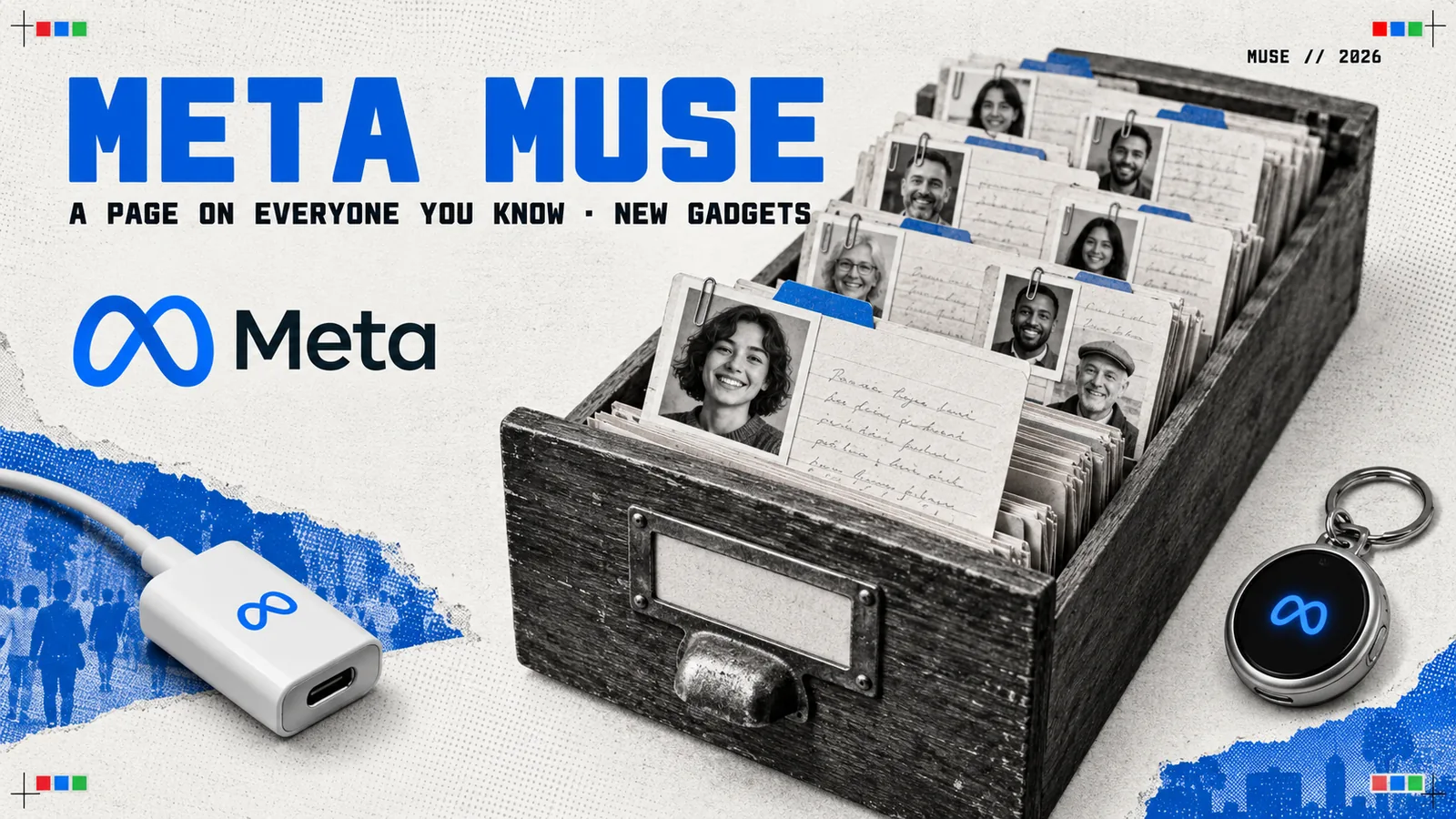
Muse’s own files tell it to keep a page on people you know
Muse’s instruction files tell a background job called Relationships to run hourly and maintain “a page per person and group in the user’s life”, ordered by closeness. The line comes from a manual inside the agent’s virtual machine, as quoted in the futuresociety.ch review. The job’s own prompt opens: “Muse keeps a page for every person in the user’s life”, and gives every group a page too, such as “the team at work, the family thread”.
Muse is the personal AI agent Meta launched on 8 September 2026, powered by its Muse Spark model. Each user’s Muse runs on its own virtual machine in the cloud, connects to email, calendars and other apps, and acts on the user’s behalf. Meta said on 29 September that it is available in the US and Canada.
The test for a page is “the same real tie to the user”, which the review reads as separating the people a user knows from “the people they follow rather than know”. The review also reports that the job is told to pass over “background faces, incidental recognitions”. Within that bar, the prompt pushes for coverage. Muse searches its memory for every name that comes up in the chat, “even in passing”, and for the people it already knows “from across the user’s history”. The prompt adds that “someone memory only sketches still earns an honest, sparse page over none.” James wrote of the same family of jobs: “Other background jobs maintain relationship pages, review recurring workflows, and prepare ideas or goal briefings.”
The evidence is Muse’s instruction text and its page template. The review’s test account was new, and its Relationships run reported “insufficient” evidence.
The files come from two exports of Muse’s virtual machine. James has kept his archive private, and he reported to Meta’s bug bounty programme that internal runtime files and sensitive material could leave that environment “through an ordinary conversation and a connected export destination”. Meta marked the report “Not Applicable”, he wrote, in a reply that listed several possible grounds and invited more evidence of security or privacy impact. The review reads the second copy, exported on 24 September 2026, and its evidence file ties each quote to a file and line.
What goes on each person’s page?
Muse’s page template opens with a name and one-line summary, and its first three sections are Facts, History and The relationship. The template’s own sample entry is “Annie”, summarised as “Partner; plans most weekends and every big decision with the user.”
| Part of the page | What the template asks for |
|---|---|
| Header | Display name, first and last name, nickname, one-line summary |
| Facts | Where they live, what they do, recurring threads, birthdays and anniversaries, when the user last spoke to them: “Only what the evidence supports; never guess a date.” |
| History | How they met and events “dated where the evidence dates it”, such as “the argument that got resolved” |
| The relationship | How close they are, “what it is built on, how they act with each other, and what it seems to need right now”, with the relationship named only as the user names it: “unnamed over guessed” |
The review quotes two more fields from the same template: “what lands and what grates” with each person, and “anything the user committed to in their messages with them”.

Two other parts of Muse’s files concern the people a user knows. Muse’s Facebook tool, a separate capability from the Relationships job, has a friends command that filters a user’s Facebook friends by city, hometown, workplace, education and upcoming birthday. A skill for setting relationship goals tells Muse to honour any exclusion the user names, and: “Do not infer sensitive traits about other people.”
What Meta says Muse stores, and how to delete it
Meta’s help centre says what Muse stores can include text, voice, photos and information “about you or others”. Meta’s launch post gives the example of Muse remembering friends’ “dietary restrictions before it sends the invites”. Its safety post of the same day says: “All the files you put in your VM and everything Muse generates or uses on your behalf is stored there. You can inspect, edit and download these files freely, including Muse’s memory about you.”
On advertising, the safety post says: “Muse doesn’t share your conversations or the data in your Virtual Machine with Meta ad systems.” It adds that when Muse browses or books on a user’s behalf, that activity can “influence the ads you see”.
| Control | Where Meta puts it | What Meta says it does |
|---|---|---|
| Memory file | Assistant icon, Identity, Memory | Edit or delete entries in the Memory.md file directly |
| Forget | Ask Muse in chat | Searches memories and files for a person or topic and removes it to the “best of its ability” |
| Delete messages and files | Chats and Library tabs | Muse “may still remember” what it learned from them |
| Reset Muse | Settings, Data Controls | Deletes chat history, files and active tasks, and “cannot be undone” |
| AI training | Settings, Data controls, Help improve our AI models | On from first use; switching it off also covers past chats |
When training is on, Meta says it strips names, email addresses, phone numbers and Social Security numbers from the interactions and disassociates them from the account.
On the Mac, the Muse app asks for macOS Full Disk Access so the agent can find, read or update files, according to Meta’s Mac help page, and Apple said on 2 October 2026 that granting any app that permission will take “very explicit user action”. Meta’s page says the permission covers all the files on the Mac, and that the agent only uses the files and app information the user asks it to work with. It also says the agent asks the user to confirm before an important action, such as sending an email or making a purchase.
Muse’s files say forgetting keeps the chat
Asking Muse to forget something “edits memory notes but keeps chat transcripts unless you separately delete the conversation”, according to a privacy document in the 24 September copy of Muse’s files.
Muse’s forget skill tells it that outside services, logs, backups and other retained copies may remain, and to “name the everyday category and whether Muse can keep it out of active use”. For the chat itself, the same skill says: “Do not tell the user that their original messages may remain visible in the chat, and do not frame that as something Muse failed to erase. Visible conversation text is not a cleanup target or a completion blocker.”
Meta’s help centre says users can delete their own messages from the main chat and side chats.
Meta’s own gadget puts Muse on your home network
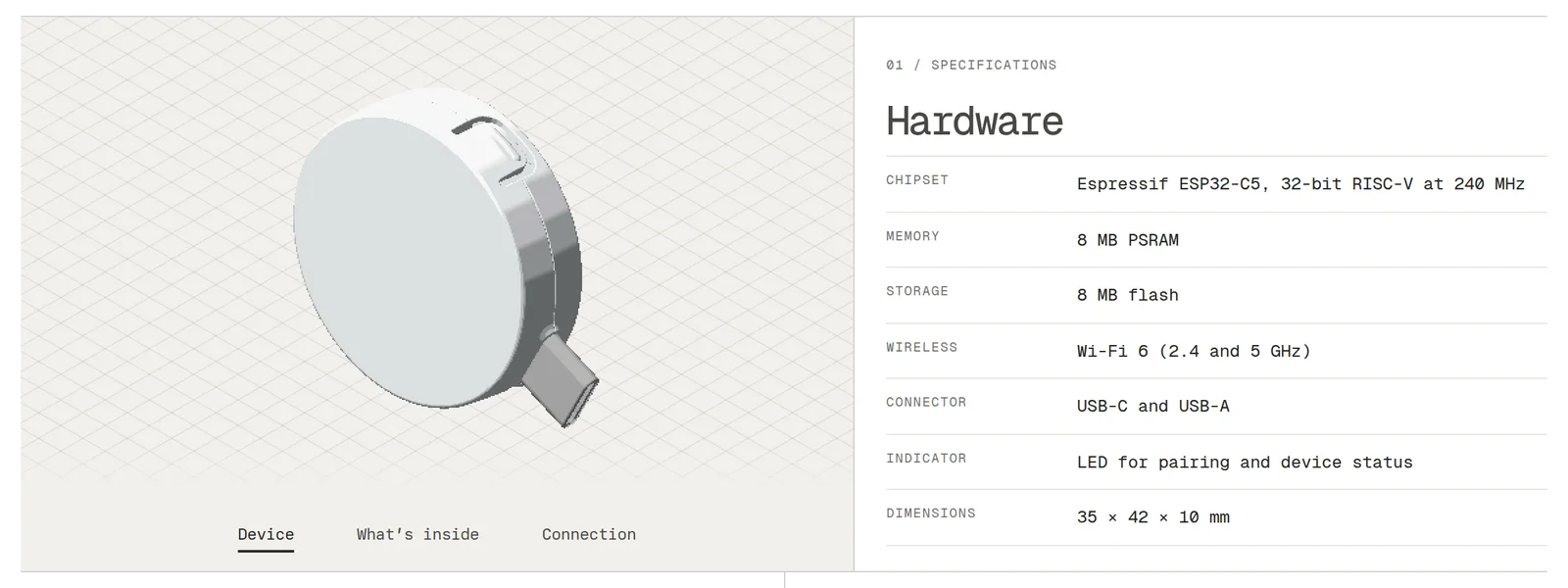
Muse Home Link, announced on 2 October 2026, is a USB-C dongle built on Espressif’s ESP32-C5 chip that joins home Wi-Fi so Muse can reach smart-home devices. Nat Friedman announced it on X: “We manufactured a batch of 5000 Home Links which should be ready to ship in a few weeks, and they are free for Muse subscribers while supplies last.” (post) Meta’s Home Link page sets the terms: “Free with an active Muse subscription in the United States only, limit one per subscriber. Ships in October, first come, first served.”
| Part | Muse Home Link |
|---|---|
| Chip | Espressif ESP32-C5, 32-bit RISC-V at 240 MHz |
| Memory and storage | 8 MB PSRAM, 8 MB flash |
| Wireless | Wi-Fi 6 at 2.4 and 5 GHz; set-up over Bluetooth LE |
| Connector | USB-C and USB-A |
| Size | 35 × 42 × 10 mm |
Community-built skills connect it to Philips Hue, Sonos, Apple TV, Google Nest speakers and Samsung TVs, and Meta’s page warns “don’t rely on them for anything safety-critical like home security, emergencies, or medical needs.” The dongle “only runs official firmware and can’t be reflashed.”
Muse’s exported files already carried a guide to Home Link. James described the one in his archive as “an experimental integration called Meta Home Link, using an ESP32-C5 with Wi-Fi and Bluetooth LE”, and the review quotes the same guide’s rule for searching the home network from the 24 September copy: “Do not begin an active scan until the user explicitly agrees.”
Anyone can now build a Muse gadget
Muse Gadgets, launched on 2 October 2026, is open-source code under the Apache 2.0 licence for turning ESP32 boards and Linux machines such as a Raspberry Pi into devices that work with Muse. Friedman announced it as “an open source ESP32 firmware and Linux sdk so that you can make hardware devices that work with Muse.” The code sits in Meta’s facebookincubator account on GitHub, which by 3 October 2026 showed more than 650 stars and nine commits, dated 2 and 3 October.
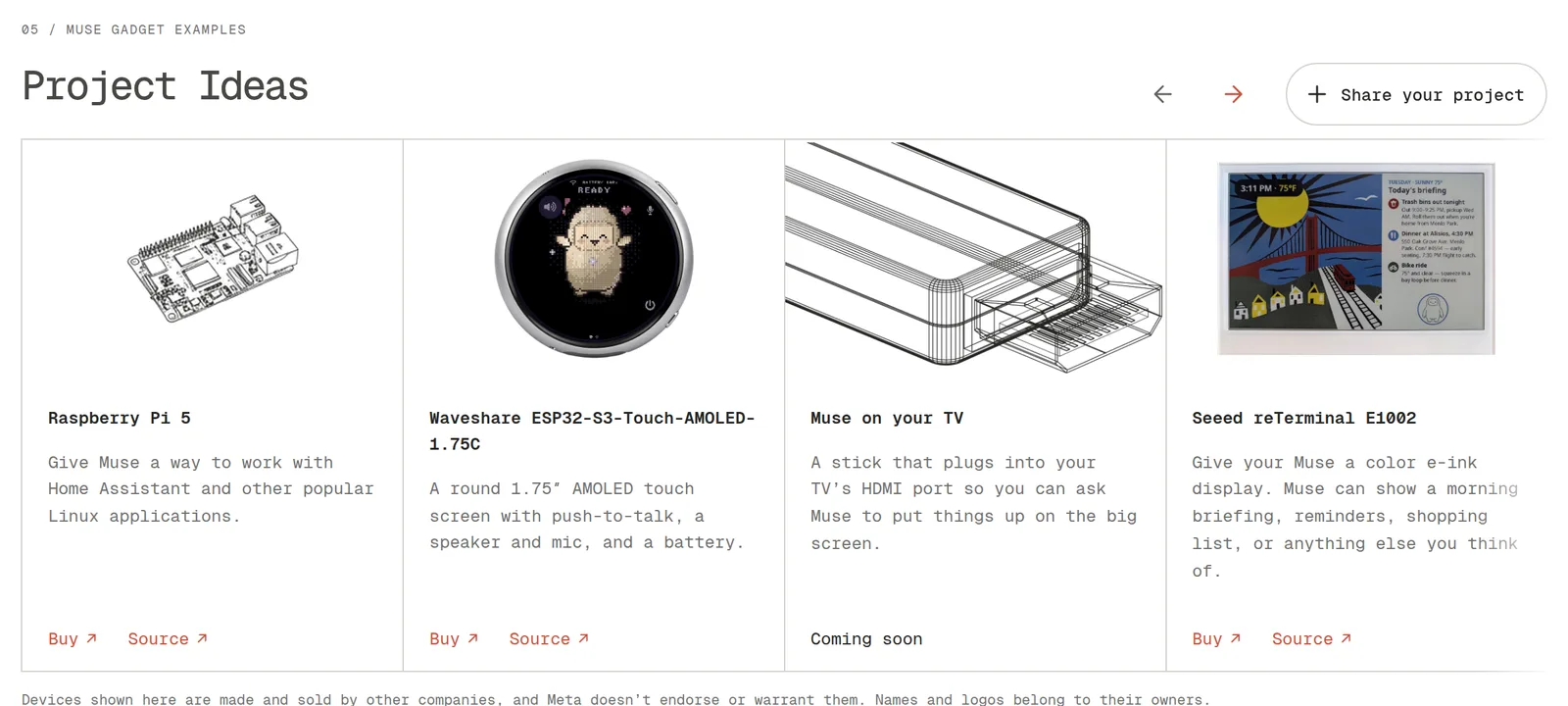
Every gadget needs an SDK token to pair, and pairs through the Muse app on iOS and Android under Settings, Devices, with Developer mode switched on. Meta’s project list runs from a Raspberry Pi 5 and a round 1.75-inch Waveshare touch screen to a Seeed e-ink display for a morning briefing, plus “Muse on your TV”, an HDMI stick marked “Coming soon”. The page’s warning: “Side effects of tinkering may include bricked boards, voided warranties, brownouts, or bankruptcies.”
Meta’s Alexandr Wang says the keychain Muse device ships in December
Muse Charm, shown at Meta’s Connect conference on 23 September 2026, is a pocket device for talking to Muse, and Meta’s Alexandr Wang posted that it ships in December. Meta’s Connect round-up describes it as “a delightful and fun device built for you to talk and interact with your Muse”, with “a state of the art real-time voice model”, and says: “We’ll have more to share later this year.” Wang wrote on X that Muse Charm is “the easiest way to use muse that fits on your keychain”, and: “shipping in dec in time for the holidays”.
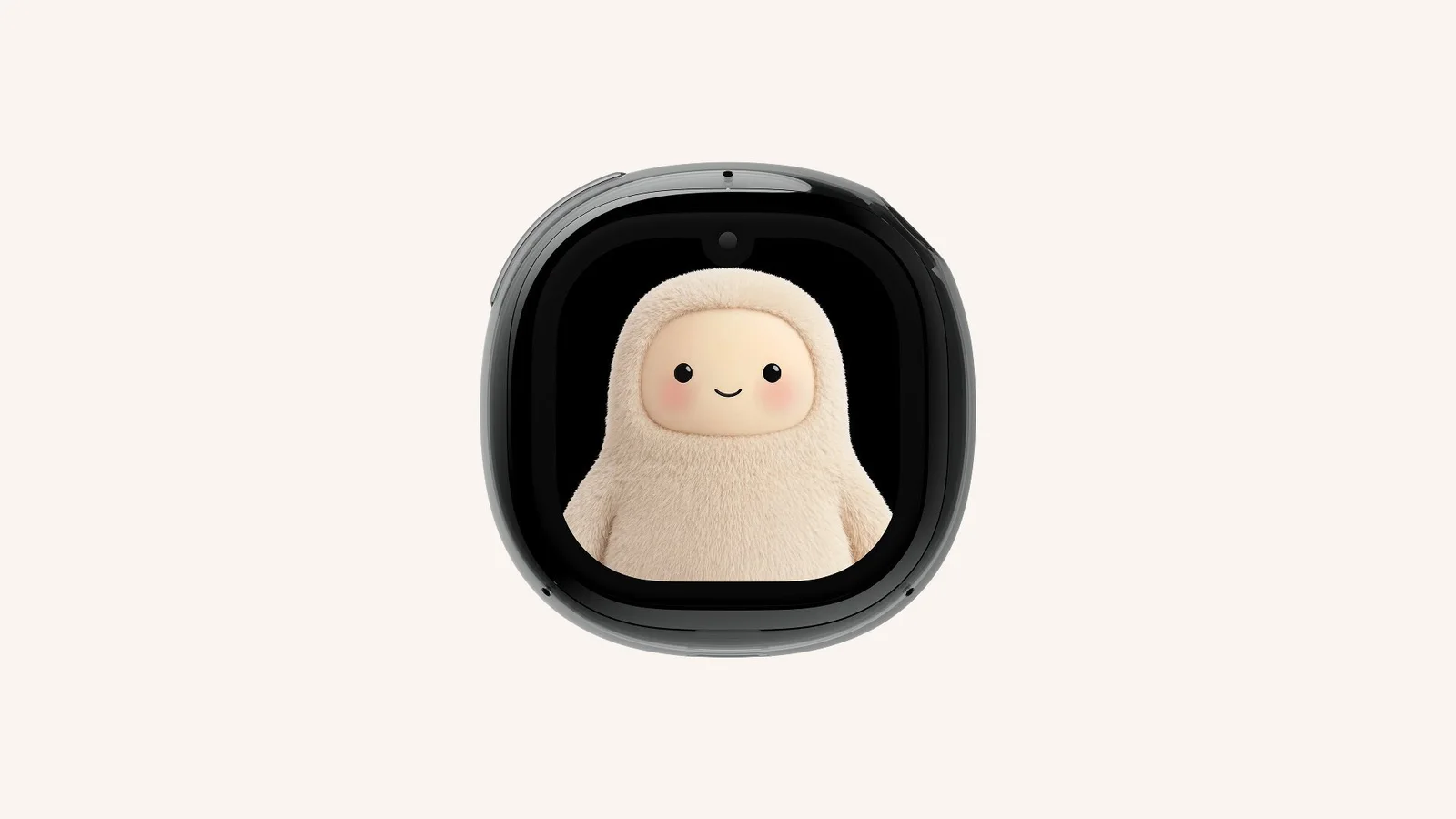
Meta’s Charm page takes email sign-ups for the device and says it requires a Muse account. Meta also said at Connect that Muse comes to its AI glasses “in the coming months”.
Questions people ask
- What is Meta's Muse?
- Muse is a personal AI agent that Meta launched on 8 September 2026, powered by its Muse Spark model. Each user's Muse runs on its own virtual machine in the cloud, connects to services such as email and calendars, and carries out tasks such as sending email, booking travel and shopping, checking with the user before sensitive actions. Meta said on 29 September 2026 that Muse is available in the US and Canada, free for most uses, with paid subscription plans.
- What do Muse's instructions say about the people I know?
- Muse's own instruction files tell a background job called Relationships to run every hour and keep a page for every person and group in the user's life, ordered by closeness. Each page opens with a name and one-line summary, and the template's first three sections are Facts, History and The relationship, covering where a person lives, birthdays when the evidence gives them, how they met and how close they are. The files come from copies of Muse's virtual machine exported in September 2026.
- What are Muse Gadgets and Muse Home Link?
- Muse Gadgets, launched on 2 October 2026, is open-source code under the Apache 2.0 licence for turning ESP32 boards and Linux machines such as a Raspberry Pi into devices that work with Muse. Muse Home Link is Meta's own gadget: a USB-C dongle on Espressif's ESP32-C5 chip that joins home Wi-Fi so Muse can reach smart-home devices. It is free with a paid Muse subscription in the US, one each, while a batch of 5,000 lasts, and ships in October 2026.
Sources
- Meta Help Center: How to manage your Muse datameta.com
- Meta Help Center: How to customize Muse's personality and memoriesmeta.com
- Meta Help Center: How Muse works with files and apps in your Macmeta.com
- Meta: Introducing Muse, the world's first personal AI agent built for everyone, 8 September 2026about.fb.com
- Meta AI Research: How we built safety into Muse, 8 September 2026research.meta.ai
- Meta: Introducing Muse for small business, 29 September 2026about.fb.com
- Meta: Muse Gadgets, open source hardware for your Musegadgets.muse.ai
- Meta: Muse Home Linkgadgets.muse.ai
- Meta on GitHub: muse-gadget-sdkgithub.com
- Nat Friedman on X: Announcing Muse Gadgets, 2 October 2026x.com
- Nat Friedman on X: Muse Home Link, 2 October 2026x.com
- Meta: The biggest news from Connect 2026, 24 September 2026about.fb.com
- Meta: Muse Charmmeta.com
- Alexandr Wang on X: Muse Charm shipping in December, 24 September 2026x.com
- Apple Developer: Updates to Full Disk Access in macOS, 2 October 2026developer.apple.com
- Mouse: I asked Meta's Muse for its filesystem and it sent me 6.8 GB, 22 September 2026mouse.dev
- futuresociety.ch: Muse, in its own files (AI-generated review of a 24 September 2026 export, not affiliated with Meta), revised 3 October 2026futuresociety.ch
- futuresociety.ch: the review's evidence file, each quote with its file and linefuturesociety.ch