
DeepSeek
DeepSeek Harness
everything is a plugin
Key facts
- MITopen source
- Licence
- 0.1.0-rc.6developer preview
- Version
- 130,449on 16 August
- Stars
- 133in a default install
- Plugins
- dshnpm, TypeScript
- CLI
- 16 Aug 2026run locally
- Checked
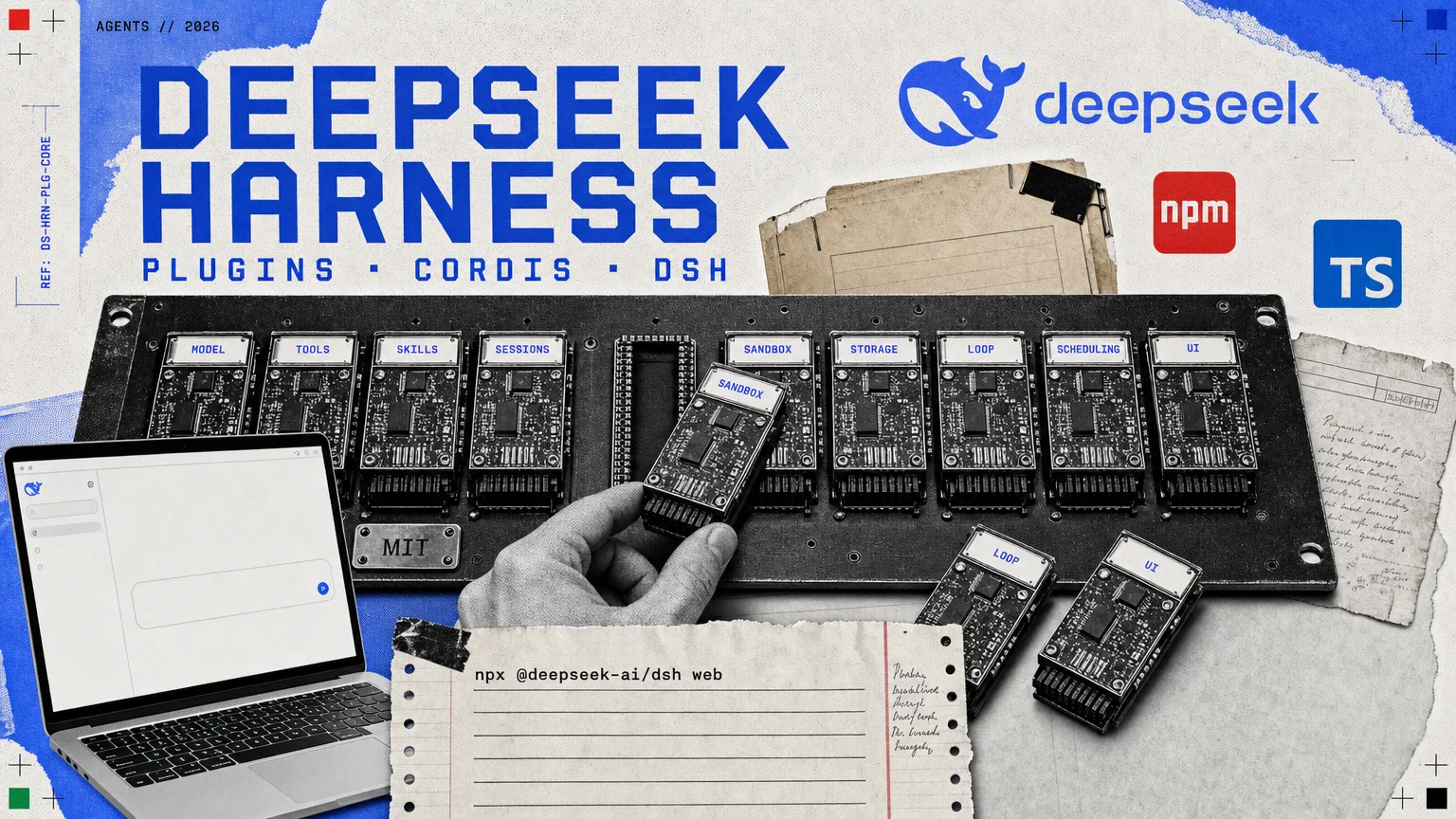
Most agents ship as one fixed program. DeepSeek Harness ships as a socket board: the model, the tools, the storage, the loop and the interface are all separate plugins, and you replace any of them from config. Running it, the settings panel lists 133 of them with a switch on each.
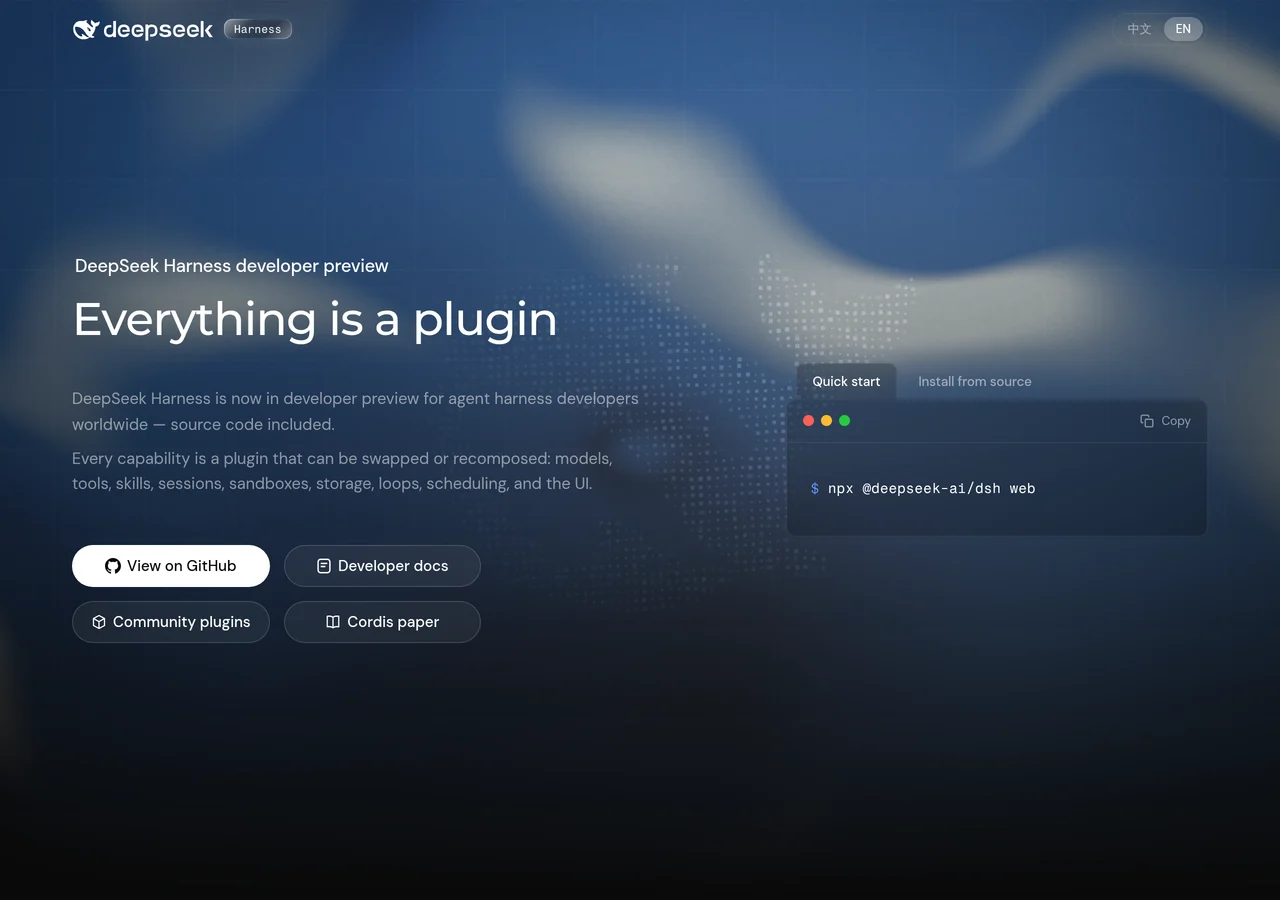
DeepSeek published Harness on 13 August 2026 and the repository took 130,449 stars in three days. The repository description is the whole design: “DeepSeek Harness: Everything is a Plugin.” Where most agents ship as a single program with a fixed loop, a fixed set of tools and a fixed interface, Harness ships as a socket board. The model is a plugin. So are the tools and skills, the sessions and storage, the sandbox, the scheduling, the interface, and the agent loop itself.
It is MIT licensed, written in TypeScript, and explicit about its maturity. The README carries the warning in capitals: “DeepSeek Harness is currently in developer preview and is iterating rapidly. THERE WILL BE COMPATIBILITY-BREAKING CHANGES.”
We installed release candidate 0.1.0-rc.6 on 16 August and ran it. Everything below is from that install rather than from the announcement.
What you actually see on first run
Installing takes one command, npx @deepseek-ai/dsh web, which serves a browser interface on http://127.0.0.1:3080. The first thing it does is stop you.
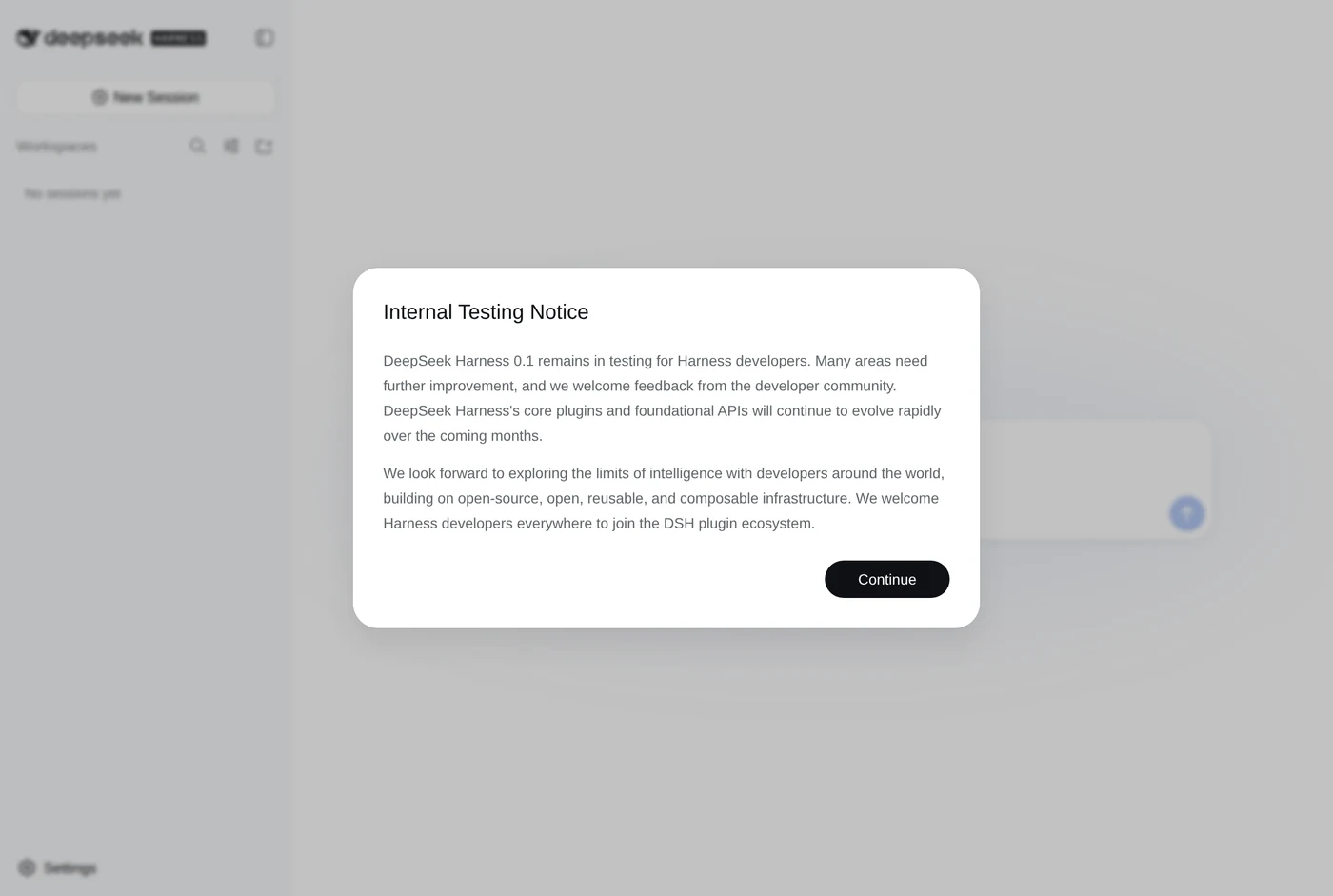
The modal is worth reading rather than clicking past, because it is a franker statement of readiness than a launch page tends to give:
“DeepSeek Harness 0.1 remains in testing for Harness developers. Many areas need further improvement, and we welcome feedback from the developer community. DeepSeek Harness’s core plugins and foundational APIs will continue to evolve rapidly over the coming months.”
DeepSeek Harness, first-run notice
The setting that records your dismissal is stored as welcomeNoticeVersion: 2026-08-13.1, which dates the notice to the day of release.
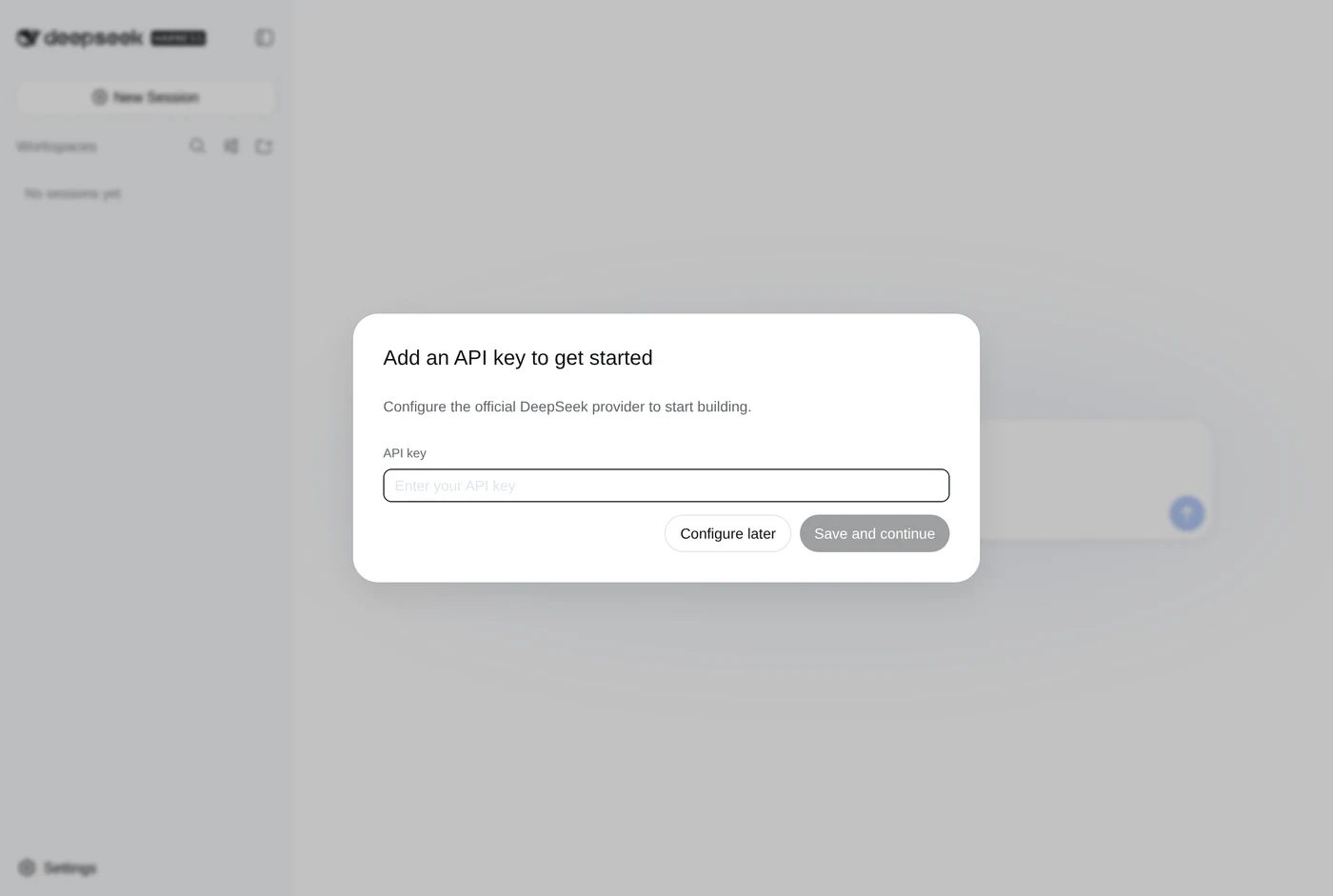
A second dialogue follows it: “Add an API key to get started”, offering to configure the official DeepSeek provider. There is a “Configure later” button, and taking it is instructive, because it shows what Harness is. No model ships inside it. The harness is the frame; the intelligence is a plugin you supply.
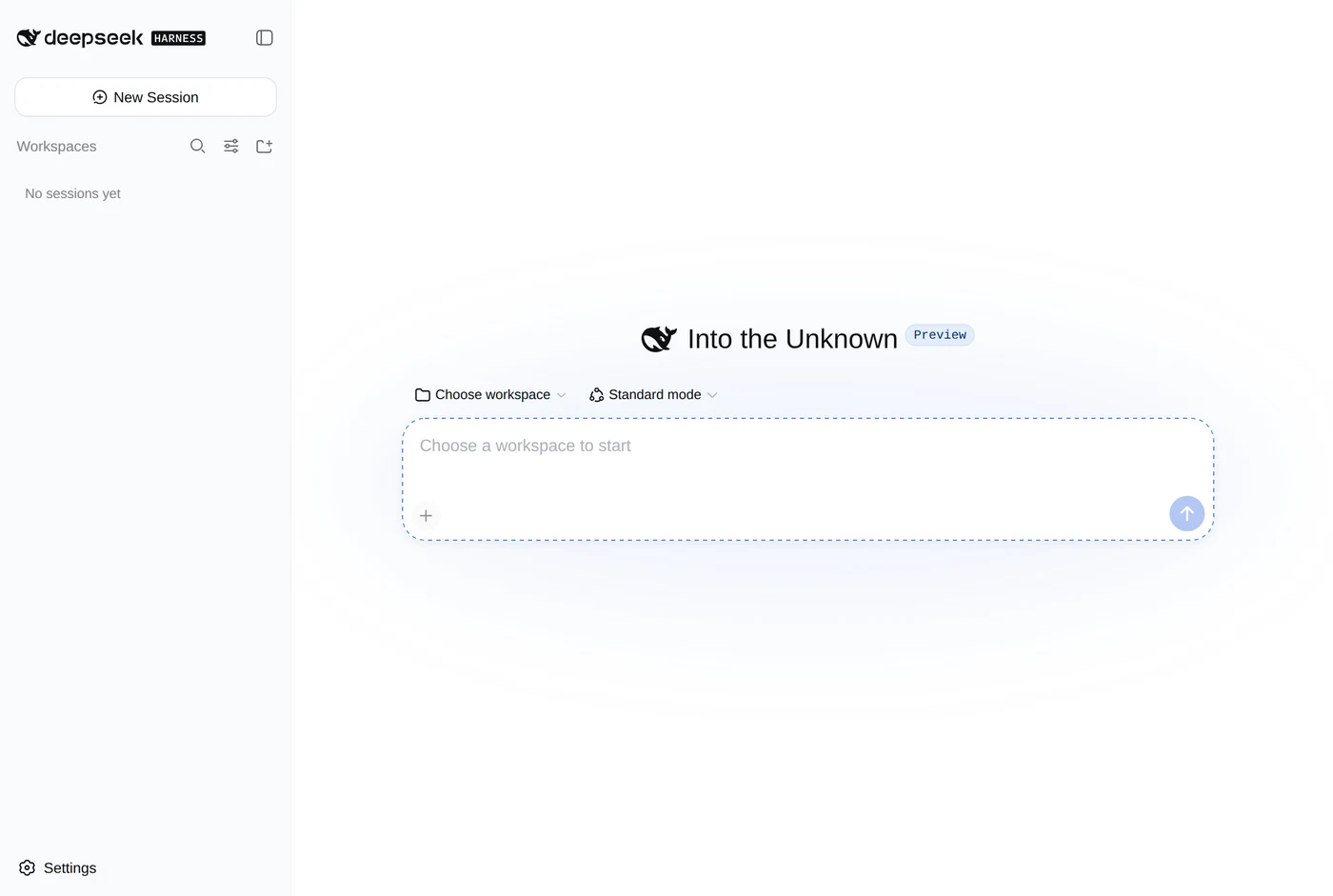
Behind both dialogues sits a workspace shell: a session list, a workspace picker, a mode selector reading “Standard mode”, and settings. The composer is inert until you pick a workspace, and its greeting carries a “Preview” badge.
Everything is a plugin, and here is the count
DeepSeek’s own page names the layers it treats as plugins: models, tools, skills, sessions, sandboxes, storage, loops, scheduling and the UI. The claim is easy to make and unusually easy to check, because the settings panel exposes the register.
A default install carries 133 plugins, each listed with a switch.
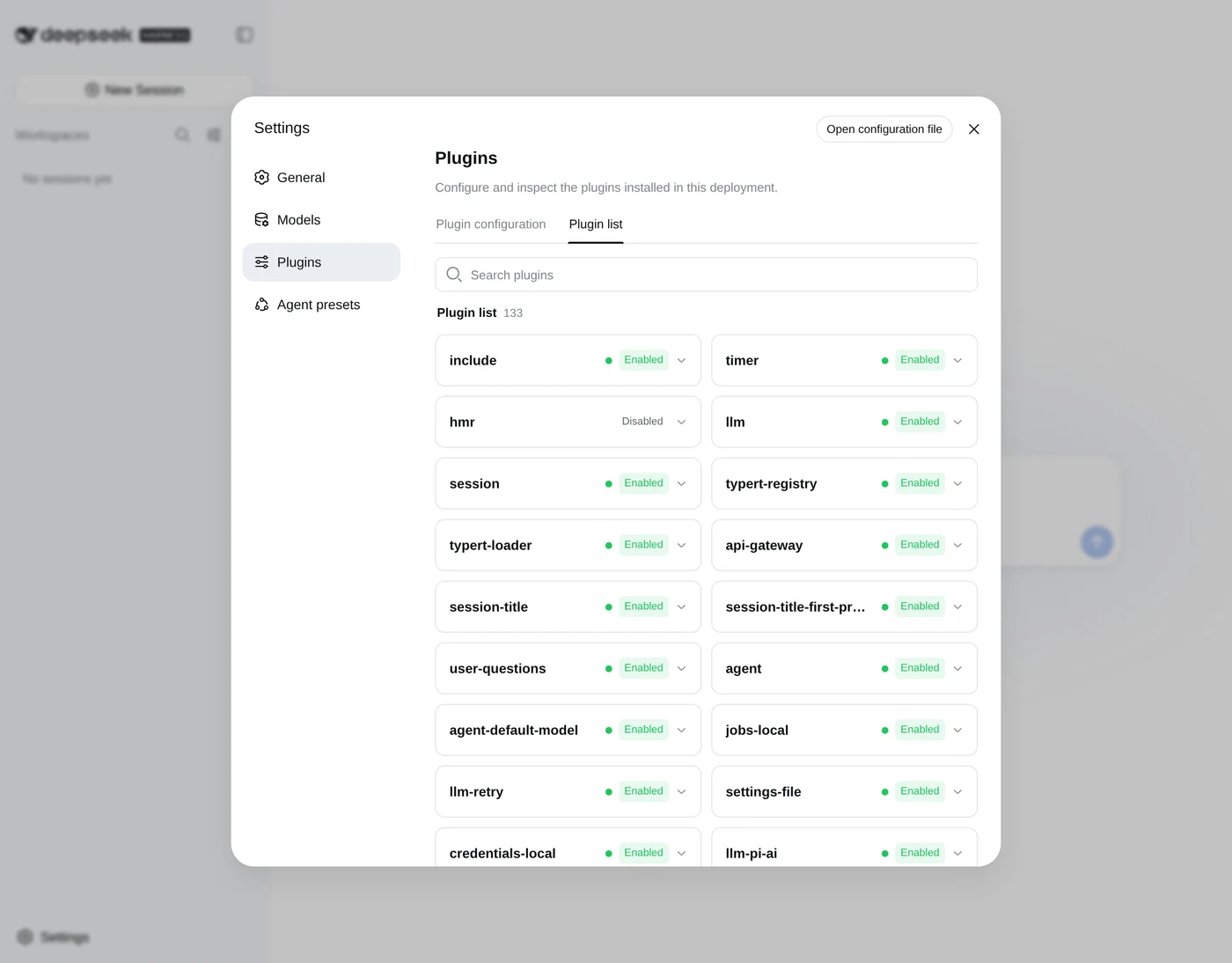
Read down that list and the architecture stops being a slogan. llm, session, sandbox-local, bash-sandbox, user-approval, permission-presets, skill, goal, plan-mode, token-meter, compaction-basic: each of the things another agent hard-codes is a named, separately switchable component. Several ship disabled, plan-mode and tool-fs among them, because the running preset decides which ones load.
The neighbouring tab is the sharper evidence. Under “Plugin configuration” sit three cards, and the middle one is the whole argument.
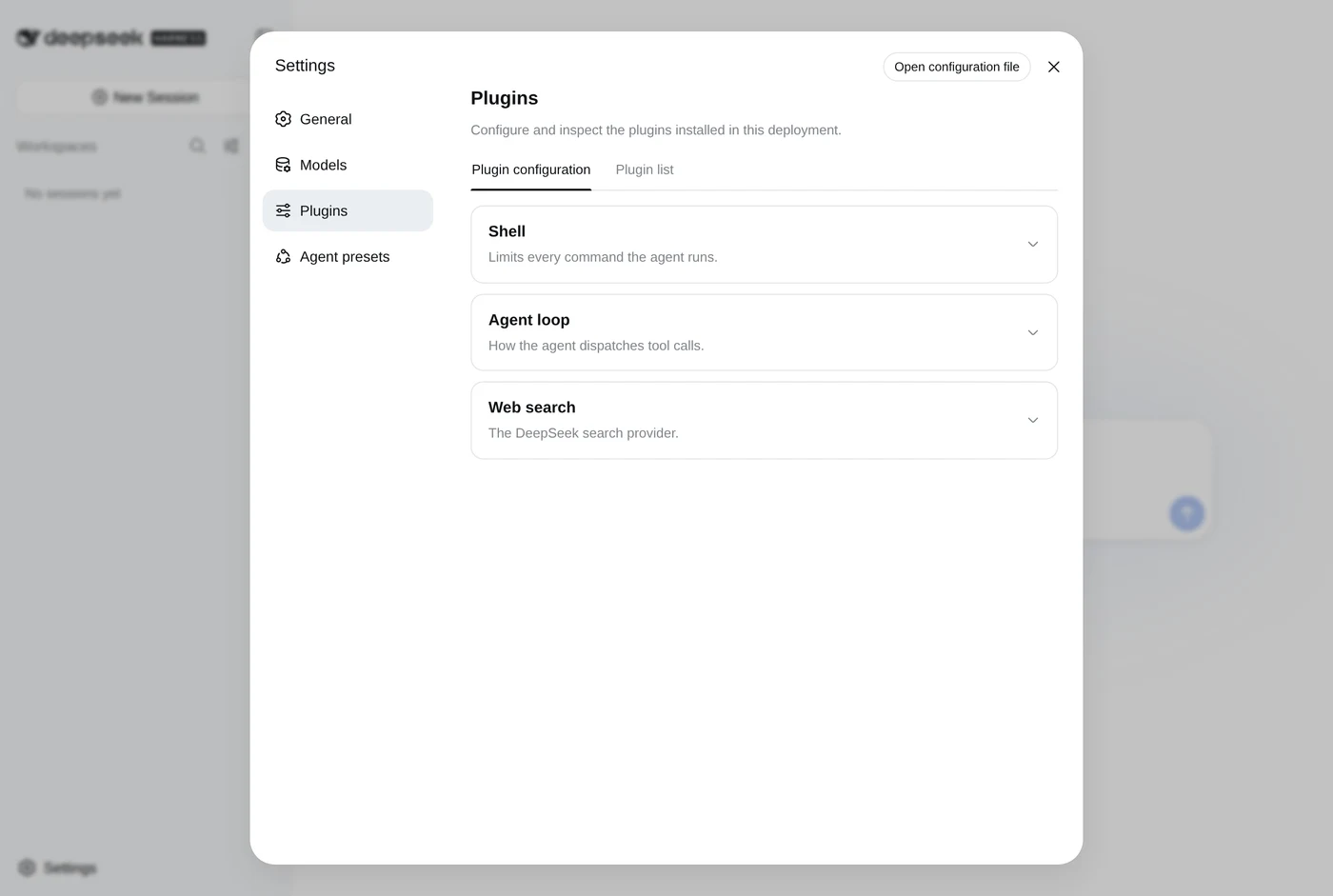
Every layer below is a plugin rather than a fixed part of the program, which is what the second column is for.
| Layer | What swapping it buys |
|---|---|
| Model | A different provider without a rewrite |
| Tools and skills | Capability added per project |
| Session and storage | Your own persistence and memory |
| Sandbox | Where the agent is allowed to run |
| The agent loop | A different control flow entirely |
The last row is the unusual one. Plenty of agents let you change the model and add tools. Treating the loop as a replaceable component, listed in the interface as “How the agent dispatches tool calls”, is a much stronger claim, and it is the one the project is really making.
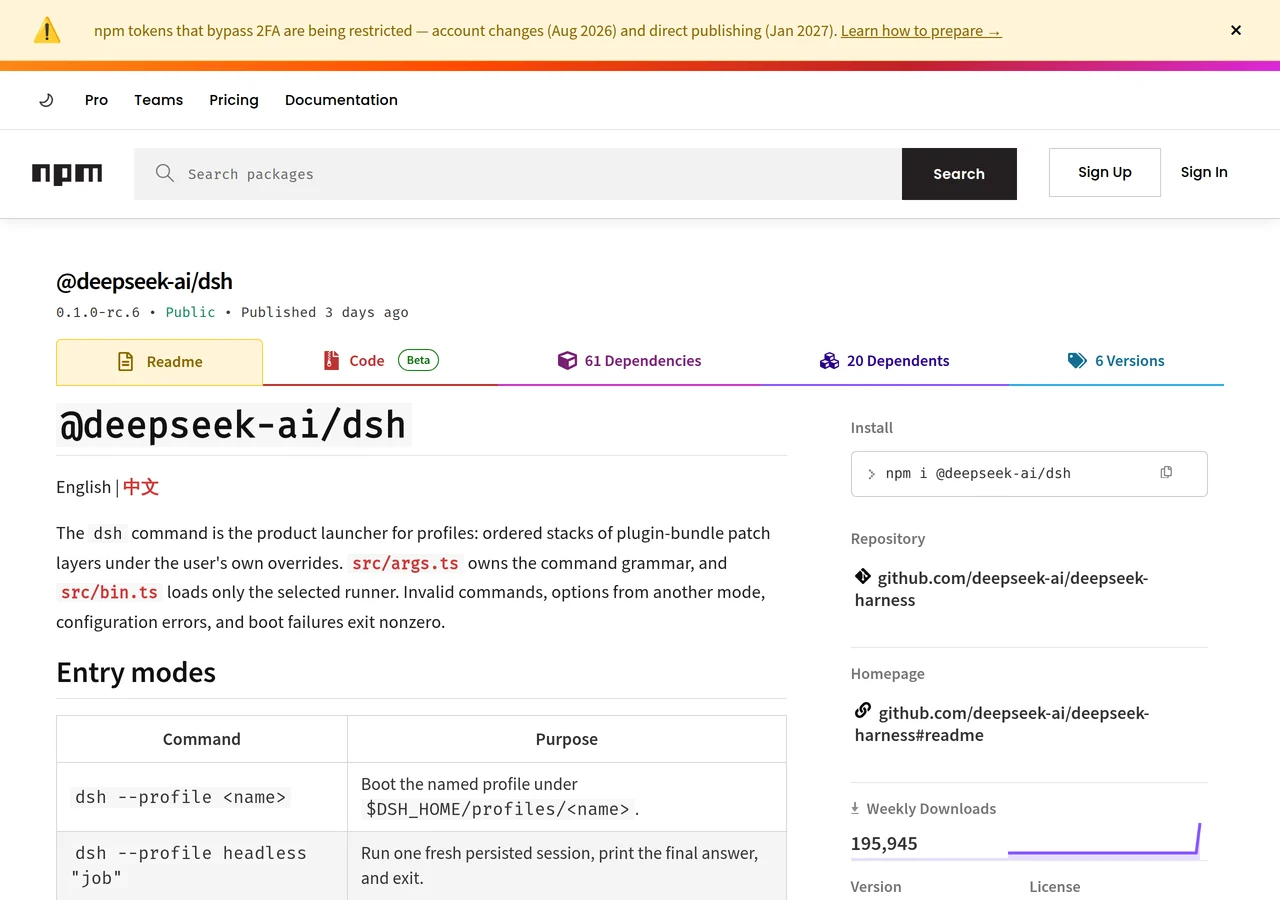
Underneath is Cordis, a plugin runtime carried as a direct dependency (@deepseek-ai/cordis) and described in a paper the project links from its home page, A Programming Paradigm for Spatiotemporal Composability. Cordis is not DeepSeek’s own: the paper sits in the Cordiverse organisation, and Harness is built on top of it. The published package pulls in a family of @deepseek-ai/dsh-* modules covering goals, skills, tools and plugin management, which is the same architecture seen from outside: the CLI is thin and the capability lives in separately versioned parts.
The four presets
Harness ships preset modes rather than one behaviour, and the mode selector states what each gives the agent. These are the names and descriptions the product itself uses, which are not the ones the launch write-ups settled on.
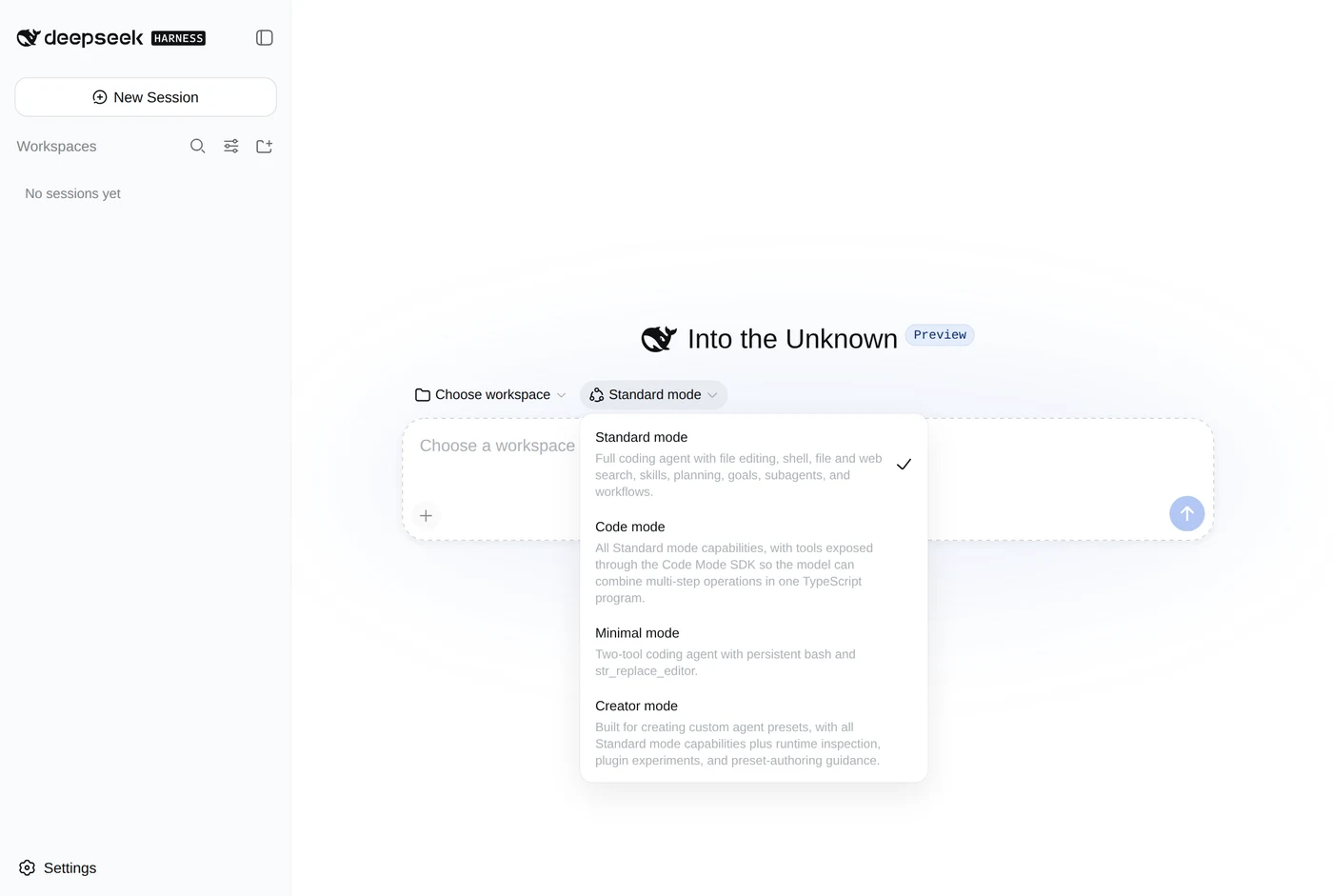
| Mode | Preset id | What the product says it is |
|---|---|---|
| Standard | standard |
Full coding agent: file editing, shell, file and web search, skills, planning, goals, subagents, workflows |
| Code | code |
Standard, with tools exposed through the Code Mode SDK so the model combines multi-step operations in one TypeScript program |
| Minimal | minimal |
Two tools: persistent bash and str_replace_editor |
| Creator | cordis |
Standard, plus runtime inspection, plugin experiments and preset-authoring guidance |
Minimal is the interesting one for anybody who has watched an agent work through fifteen tools to do a two-command job. Creator is the mode that matches the plugin thesis, and its preset id gives it away: cordis, the runtime itself. It exists so you can look inside a running harness and assemble your own.
The presets panel makes the relationship explicit. A preset, in the product’s words, is “the plugin composition one session’s agent runs”, and the four built-in ones are starting points rather than a menu: you duplicate one, or you have the agent draft one for you.
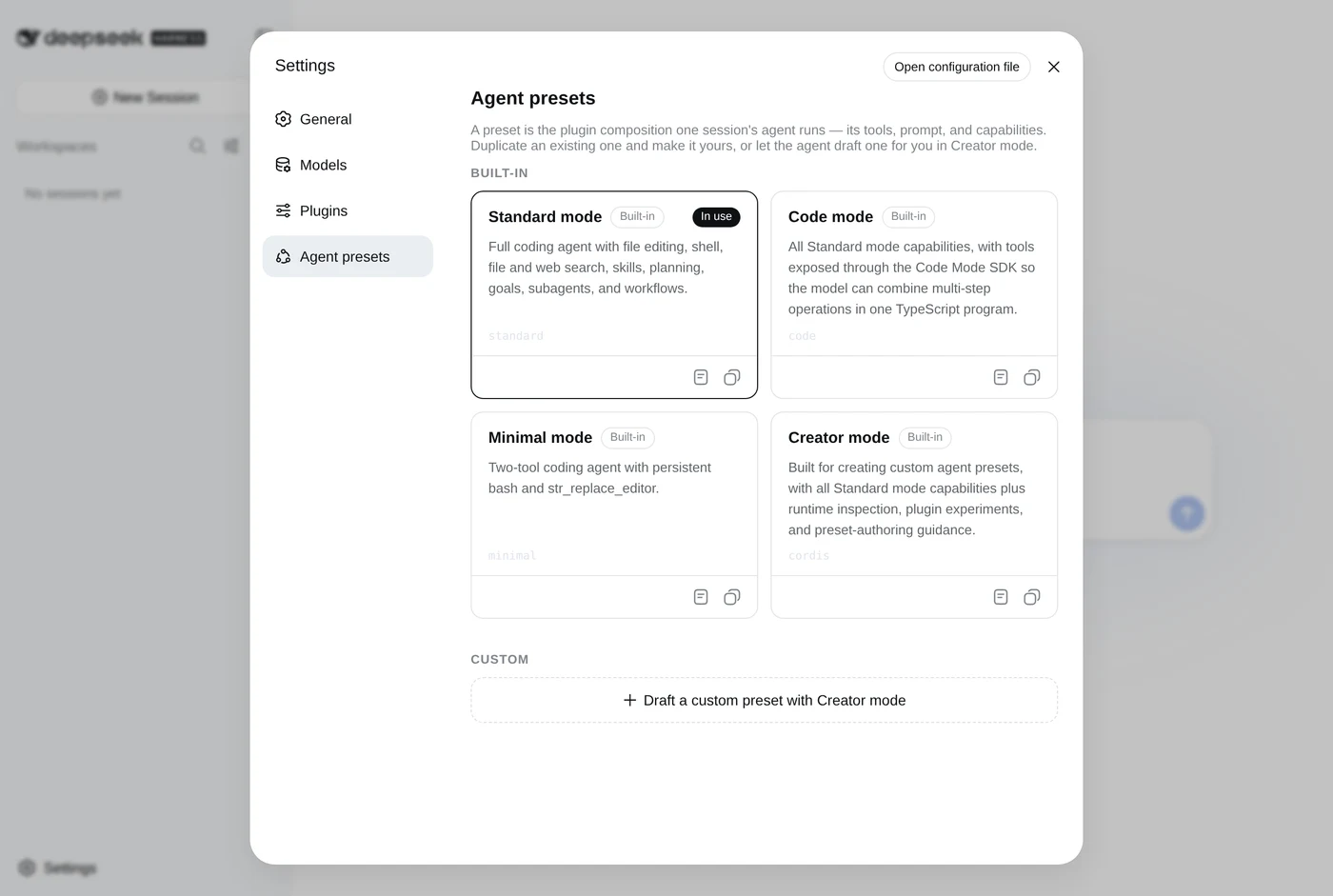
One detail from the same panel is worth knowing before you run anything real: the default permission mode is workspace write, and a preset applies to sessions started from that point on rather than to sessions already running.
How it compares
Harness arrived positioned against the integrated coding agents, and the comparison worth drawing is architectural rather than about benchmarks.
| Structure | Licence | |
|---|---|---|
| DeepSeek Harness | Plugins all the way down, loop included | MIT |
| Claude Code | Integrated agent, extended through MCP and skills | Proprietary |
| OpenHands | Open agent platform, fixed core loop | Open source |
| Goose | Local agent, extended through MCP | Apache 2.0 |
The honest reading is that Harness bets on composition where the others bet on a good default. That bet costs something. A system where every layer is replaceable is a system with more to configure, and 133 switchable parts is a surface as well as a capability. The project has also not had time to grow the ecosystem that would make the sockets worth having: the “Community plugins” button on its own home page points at a GitHub topic page for dsh-plugin, which is an invitation rather than a catalogue.
Should you use it yet
For production work, no, and the project says so itself twice: once in the README’s capitalised warning about compatibility-breaking changes, and once in the modal that greets every first run. Foundational APIs are expected to keep moving for months.
For understanding where agent tooling is heading, it is worth an hour. The install is a single command, the interface runs locally, and the architecture is legible in a way a closed agent is not: you can open the settings panel and read the parts list. If the plugin thesis holds, the interesting consequence is not that DeepSeek has shipped a rival to Claude Code or Codex. It is that the harness stops being the product and becomes the socket the products plug into.
More in Agentic AI
All Agentic AI →- AnthropicClaude Codethe agent that lives in your terminal
- OpenAIOpenAI Codexthe agent that spans every surface
- All Hands AIOpenHandsthe open-source agent platform
- Agentic AI FoundationGoosethe local agent that is not just for code
- Linux FoundationModel Context Protocolthe USB-C port for AI agents
- OpenClaw FoundationOpenClawthe open-source agent that took over GitHub