
Guide
Claude + MCP for video
from a written brief to a finished shot
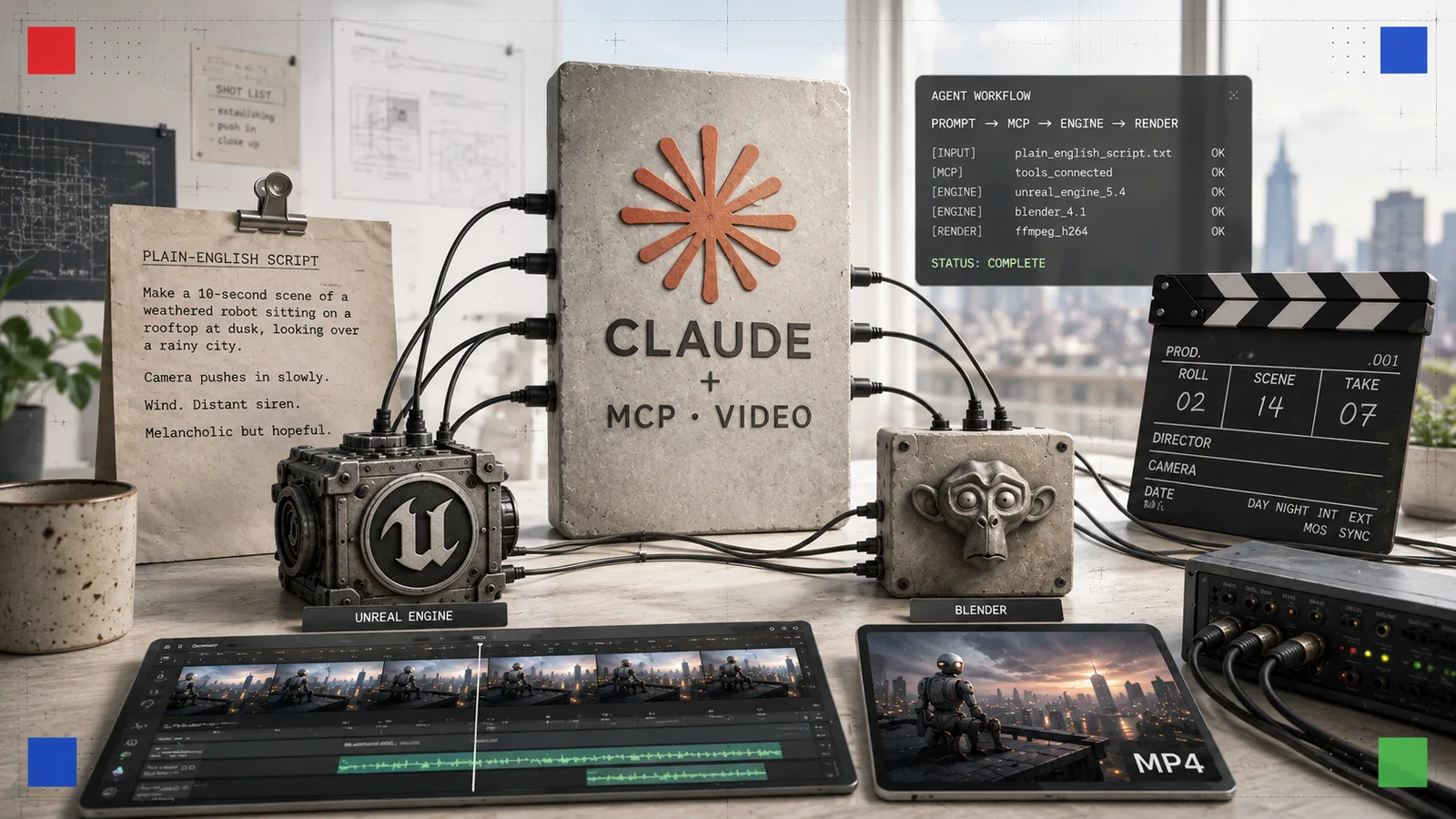
Key facts
- MCPopen standard
- Core protocol
- Unreal 5.8first-party MCP
- Lead engine
- $0.10/sKling 3.0
- Cheapest render
- 3 toolsHyperFrames · Blender · Remotion
- Free & open
- $5/moElevenLabs
- Voice from
- 6 Aug 2026prices move fast
- Checked
In 2026 you do not click through a video editor so much as direct one. Claude, wired to a set of tools through the Model Context Protocol, can build a 3D scene in Unreal or Blender, compose a motion-graphics sequence in code, call a generator for a photoreal shot, then cut and voice the result, all from a written brief. This guide maps the whole toolchain, with the exact steps, the real links and what each part costs.
Last checked 6 August 2026. Prices and model versions in this space change most weeks; the figures below are current at the date of the last check.
For most of the last decade, making video meant a timeline, a mouse and hours of manual work. That has changed. The new way of working treats an AI model as the director and everything else, the 3D engine, the motion-graphics renderer, the generator, the editor, as tools it can pick up and put down on your behalf. The connective tissue is the Model Context Protocol, an open standard that lets one assistant talk to many programs in a consistent way. When people talk about “vibe editing” or “video as code”, this is the machinery underneath.
This guide is a full tour of that toolchain as it stands in 2026, built around Claude as the reasoning layer. It is organised by what each tool actually does, from directing an engine to rendering the final file, with step-by-step starts, honest prices and links you can act on today.
The idea: one agent, many connected tools
A single model cannot do everything well. A large language model reasons and writes code beautifully but cannot, by itself, extrude a mesh or grade a clip. MCP closes it. Each program runs a small “server” that advertises its abilities; Claude reads that menu, decides which calls to make, sequences them and checks the result. You supply the intent in ordinary words, and the agent turns it into the dozens of precise operations a real production needs.
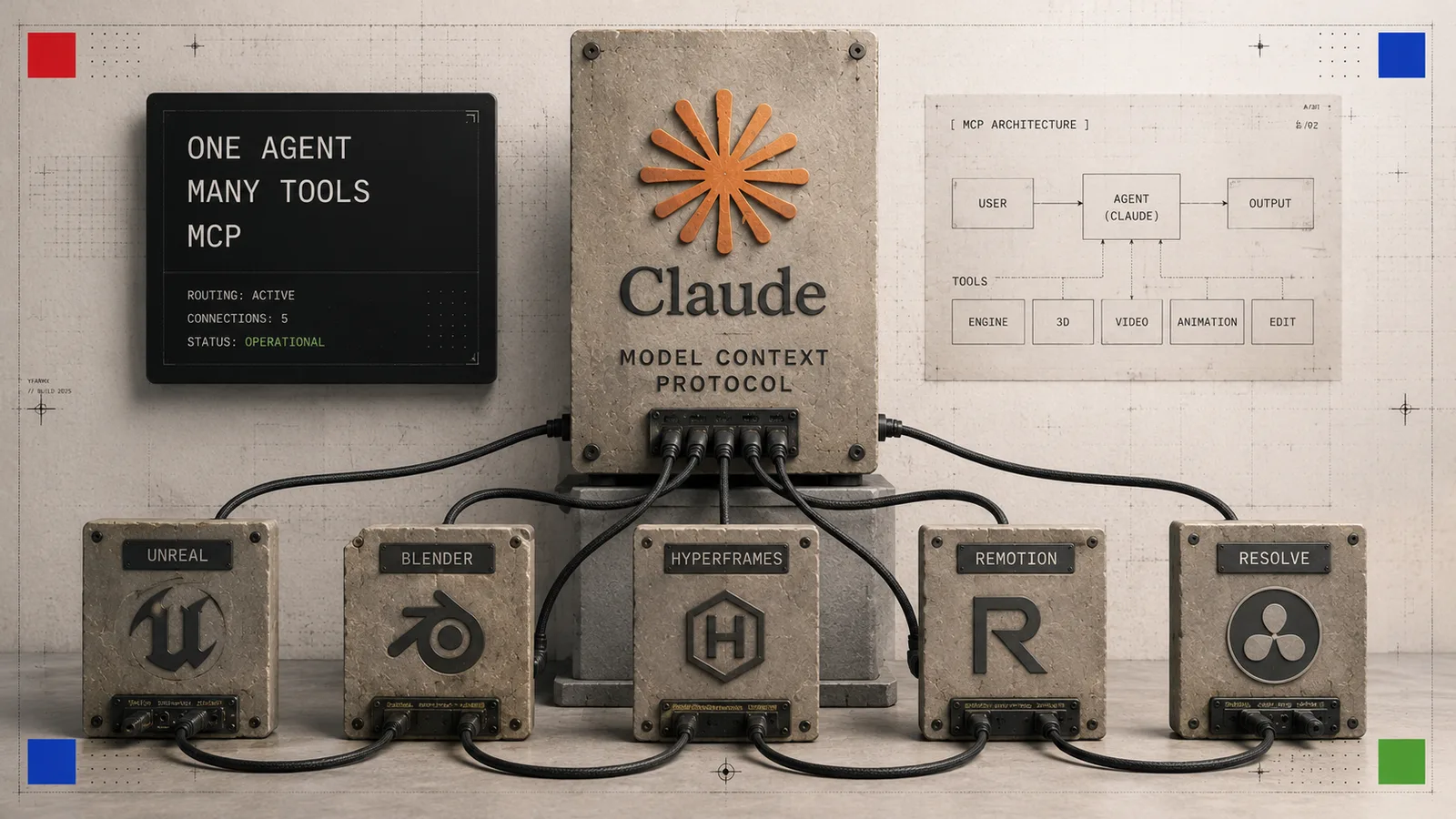
The rest of this page walks each layer in turn.
Layer 1: Claude and the Model Context Protocol
Start here, because everything else plugs into it. MCP is the open standard Anthropic introduced so that assistants and tools share one language. In practice you install an MCP “server” for each application you want Claude to drive, then Claude can call that application’s functions inside a normal chat.
You can run this two ways. In the desktop Claude app you add tools as connectors from a settings panel, community servers included: the Blender MCP built by Siddharth Ahuja is the one most creative users start with. For heavier work, Claude Code runs in a terminal and can hold many MCP servers at once, which is how most of the workflows below are wired together. If you would rather not manage servers by hand, Nous Research’s Hermes Agent ships a built-in MCP catalogue: run hermes mcp, pick a tool and it installs itself.
Layer 2: the engines Claude can drive
This is where the biggest change of 2026 sits. Claude can now operate professional 3D software directly.
Unreal Engine 5.8 and the Epic MCP
Unreal Engine 5.8 shipped on 17 June 2026 with a first-party, experimental MCP plugin. It runs a local server inside the editor and exposes the core systems, Blueprints, meshes, materials, levels and lighting, to any MCP client. Point Claude at it and you can build and dress a scene by describing it, rather than clicking through menus. Epic has signalled it wants MCP to be a core part of the next major version, so this is a direction, not a one-off.
Nous Research pairs this with an optional companion skill for Hermes Agent that helps the model discover the right tools, sequence calls safely and check the result visually, turning “give me a rain-soaked neon alley at night” into a dressed, lit set. To get started: install Unreal 5.8, enable the Experimental MCP plugin under Plugins, then connect Claude Code or Hermes to the local server and prompt it in ordinary words.
Blender MCP
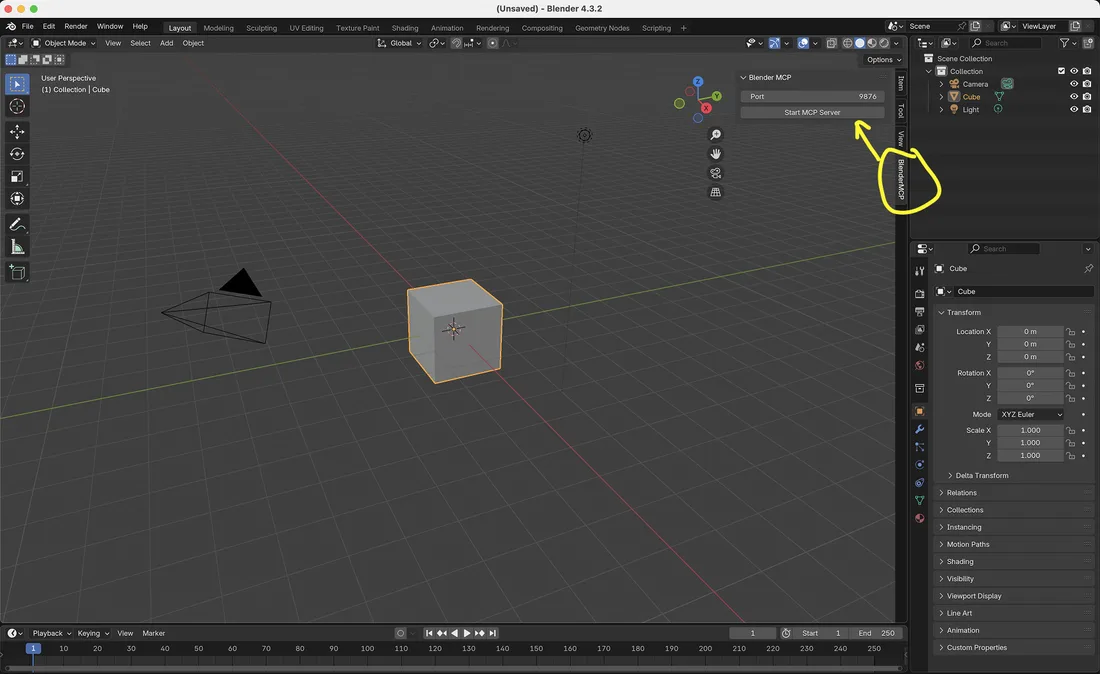
If Unreal is heavyweight, Blender is the free, open-source counterpart, and the community MCP for it, built by Siddharth Ahuja, is the most popular way to model with Claude. It lets the model create and modify objects, apply materials, set cameras and lighting, and even run Python inside Blender for anything bespoke. Setup is short: install the blender-mcp add-on, start its server from inside Blender, and add it as a connector in the Claude app or Claude Code. It is an excellent first step because it costs nothing but the electricity.
HyperFrames: video by writing HTML
Not every video is a 3D scene. A great deal of what a newsroom or a creator needs is motion graphics: titles, lower-thirds, animated charts, explainer sequences. HyperFrames, open-sourced by HeyGen under Apache 2.0, turns HTML, CSS and JavaScript into a deterministic MP4. You describe the video, a coding agent such as Claude Code writes it as an animated web page, and your own machine renders the file. It includes local text-to-speech for voiceover, so a whole clip can be produced offline. HyperFrames itself is free; you only need an agent to drive it.
Remotion: video as React code
Remotion is the mature, professional take on the same idea: real MP4 videos built with React and TypeScript, with frame-accurate control and a <Player> component you can embed in a web app. Because Claude writes React fluently, it is a natural fit for data-driven or templated video at scale. The licence is worth knowing: Remotion is free for individuals and companies of three or fewer people, with paid tiers from about $25 per month for Creators up to team and enterprise plans. For a solo operator, that means production-grade programmatic video at no cost.
Layer 3: the generators
When you want a photoreal or stylised shot rather than a built scene, you call a generator. Claude can trigger these through their APIs as part of the same pipeline. The landscape splits into a subscription-style creative environment and per-second API vendors.
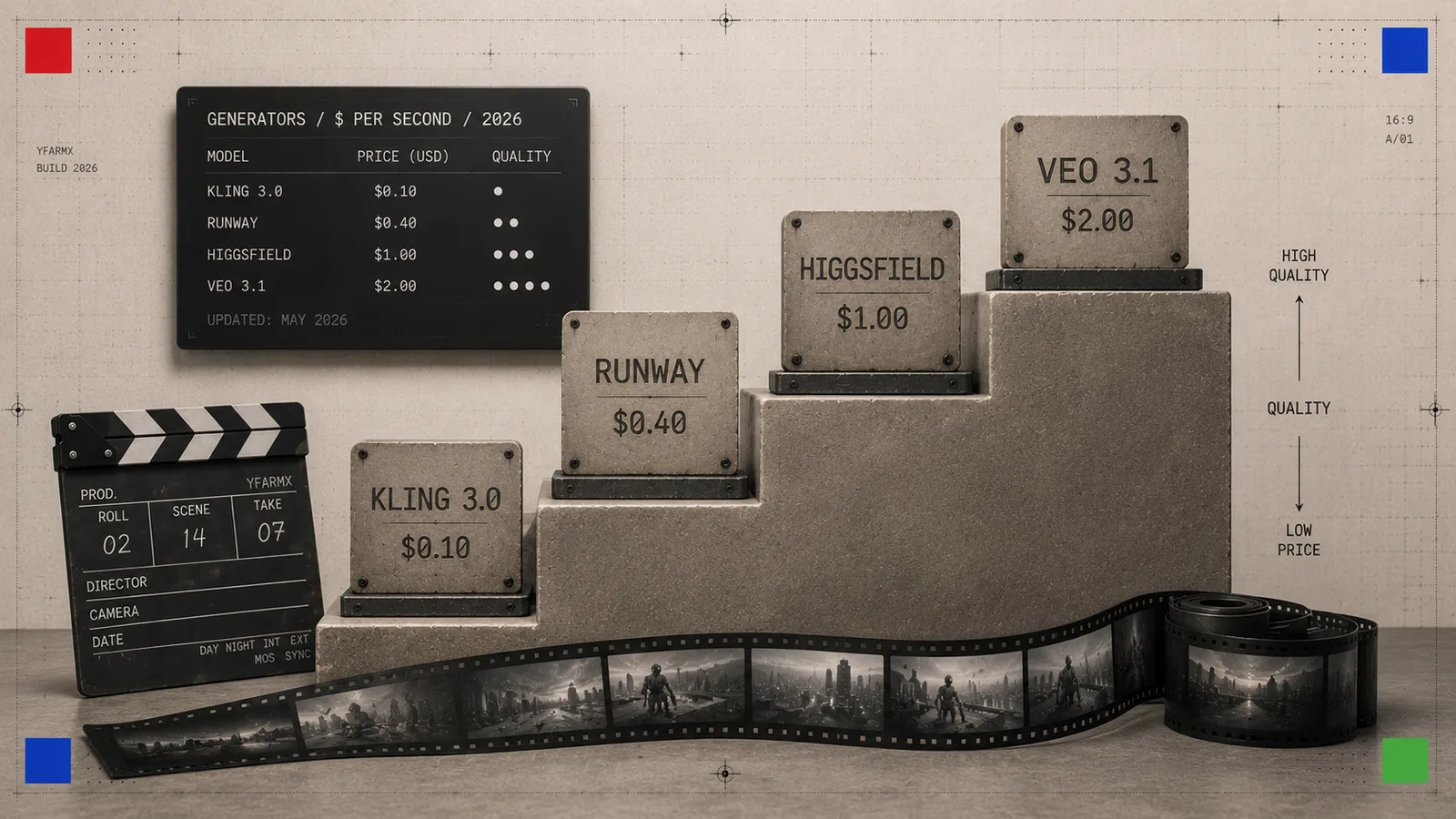
Higgsfield is the all-in-one creative suite of the year, bundling more than fifteen models under one subscription with strong camera-control and motion presets. Paid plans start at roughly $15 per month and run up through Plus and Ultra tiers; a free tier exists with watermarks and limited runs. For raw generation billed by output, the current field looks like this:
| Generator | Best for | Rough price |
|---|---|---|
| Kling 3.0 | Value, high volume | ~$0.10 per second |
| Google Veo 3.1 | Top quality, native audio, 4K | $0.75/s standard, $0.15/s fast |
| Runway Gen-4.5 | Hands-on creative control | ~$12–95 per month |
| Higgsfield | One suite, many models | from ~$15 per month |
The practical read: prototype cheaply on Kling, step up to Veo when a hero shot needs to look flawless, and reach for Runway when you want to steer a shot by hand. See our full AI video models hub for the wider leaderboard and licensing detail.
Layer 4: capture, cleanup and 3D
Three tools stand out for getting real-world motion and geometry into a scene, and for fixing what generation leaves rough.
- Cyanpuppets does markerless motion capture from two ordinary RGB webcams, tracking more than 208 skeleton keypoints and mapping them onto MetaHuman, Mixamo, VRM and other rigs for Unreal 5 and Unity. It turns a laptop camera into a mocap stage, so a character can be animated from your own movement rather than hand-keyed.
- NVIDIA ArtiFixer, presented at SIGGRAPH 2026, repairs weak 3D reconstructions. Gaussian-splat scenes look right from the angles a camera saw and fall apart elsewhere; ArtiFixer uses auto-regressive diffusion to imagine the missing views and fill the holes, beating prior methods by one to three decibels. It is the cleanup pass for anyone building scenes from photographs.
- Kimi K3, released by Moonshot AI on 16 July 2026, writes 3D WebGL and Three.js scenes straight from a prompt, complete with shaders, lighting and physics. For browser-native interactive pieces it is a fast way to a working scene you can screen-record.
Layer 5: edit and voice
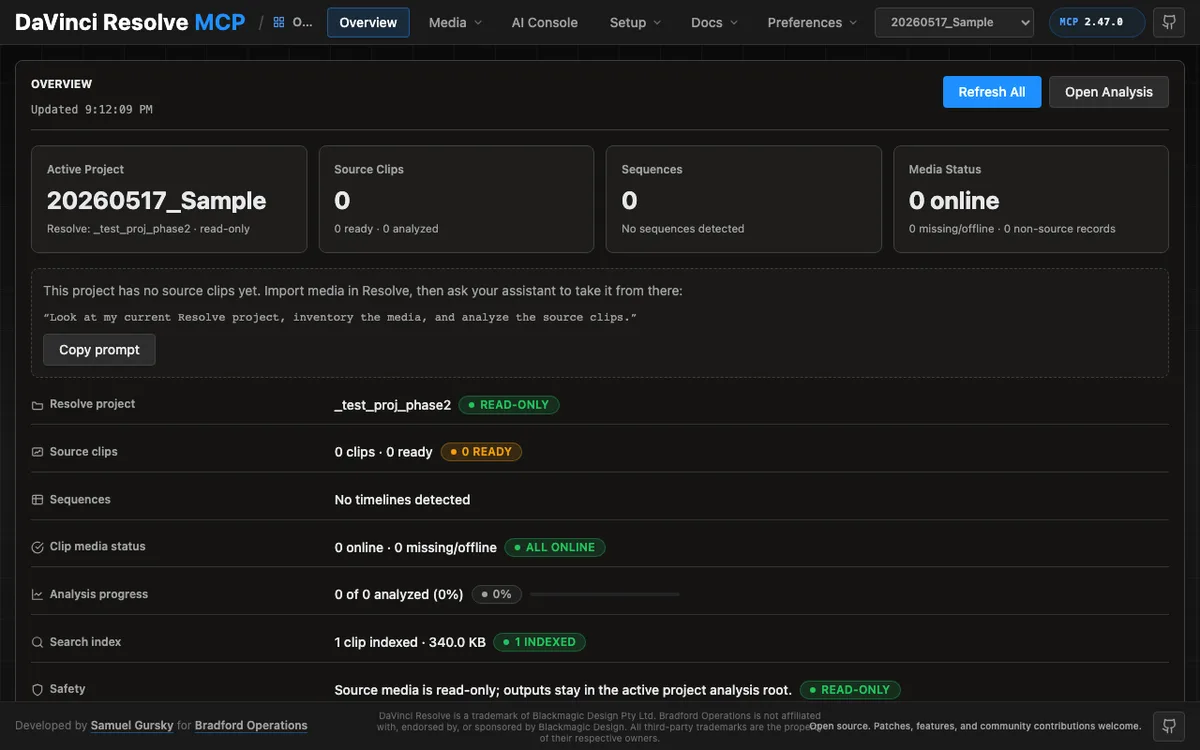
The final layer is the cut. A DaVinci Resolve MCP server exposes Resolve’s scripting API, some builds cover more than 200 tools, so Claude can assemble a timeline, colour-grade, adjust audio and export, driving a genuine professional editor by instruction. Under the hood these tools lean on FFmpeg for the media plumbing, which you can also call directly for trims, concatenation and format changes.
For the voiceover, ElevenLabs remains the quality benchmark for local accents and human-sounding narration. Plans start at $5 per month, the API runs at about $0.10 per 1,000 characters, and a free tier covers roughly ten minutes a month for testing (note that free-tier audio cannot be used commercially). If you want everything on your own machine, HyperFrames bundles a local text-to-speech engine instead.
A worked example: prompt to finished clip
Here is how the layers combine for a short explainer, the kind of piece this site publishes:
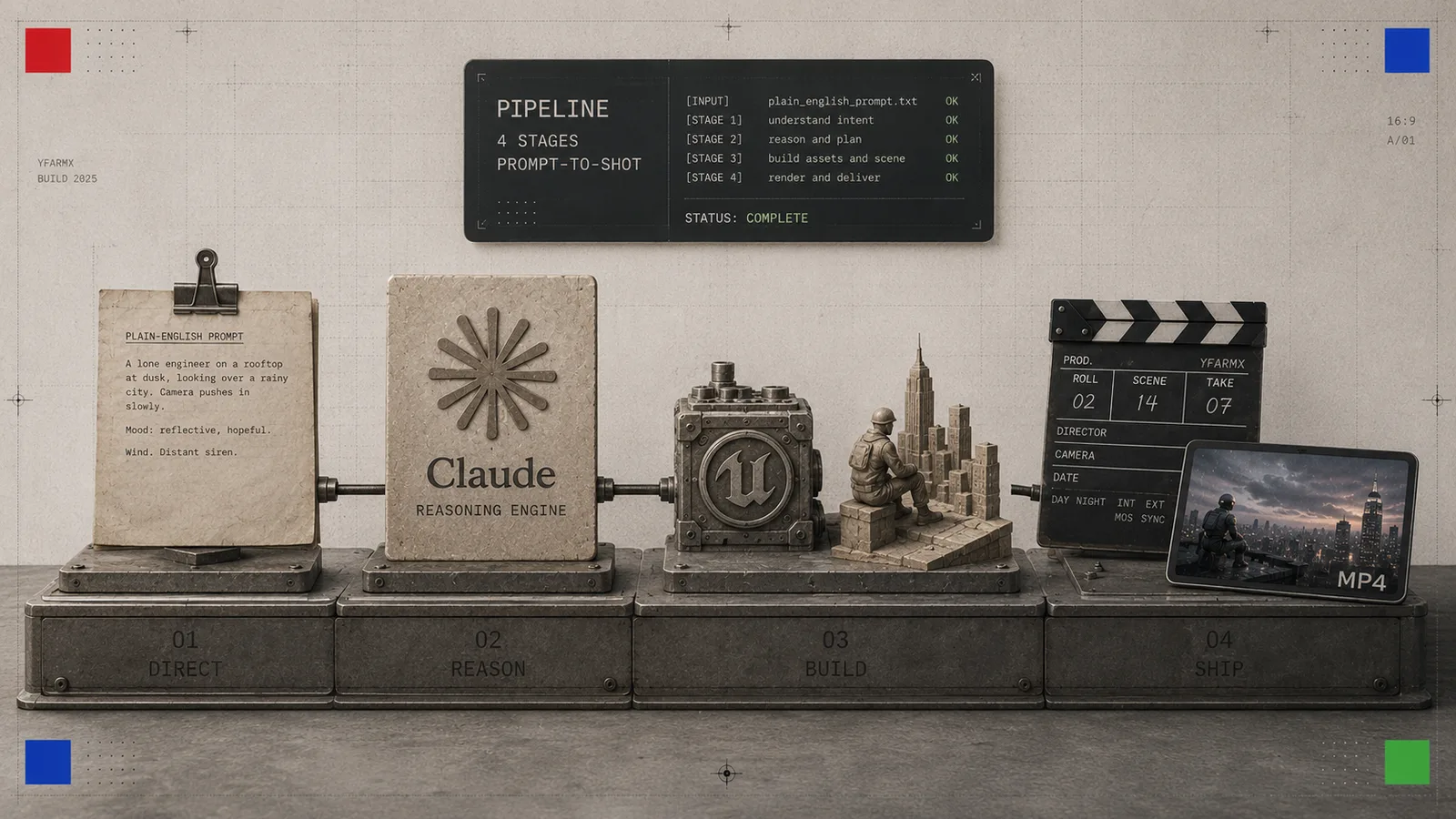
- Direct. In Claude Code, describe the shot: “a slow push-in on a glowing server rack in a dark data centre, ten seconds, moody blue light.”
- Build or generate. For a controllable 3D version, Claude drives the Unreal MCP to assemble and light the set; for a fast photoreal take, it calls a generator such as Kling or Veo.
- Overlay. Claude writes a HyperFrames or Remotion composition for the title card, captions and an animated stat.
- Voice. It sends the script to ElevenLabs for a natural, local-accent narration track.
- Cut and export. Through the Resolve MCP, Claude lays the shot, overlay and voice on a timeline, grades it and exports the MP4.
You reviewed and directed; the agent did the manual work.
What it costs to start
You can begin for nothing. Blender MCP, HyperFrames and, for a solo operator, Remotion are all free, and Claude drives all three. Add roughly $5 a month for ElevenLabs voice and a few pounds of pay-as-you-go generation credits on Kling, and a one-person studio can produce polished, voiced video end to end for a very small monthly outlay. Unreal Engine is free to download; the only real cost is a machine strong enough to run it.
Frequently asked questions
What is MCP?
The Model Context Protocol is a shared language that lets one AI assistant control many separate programs. Install a small “server” for each app and Claude can operate it inside a normal conversation.
Can Claude really edit a video by itself?
It can drive the tools that do. Through MCP servers for editors such as DaVinci Resolve, and renderers such as HyperFrames and Remotion, Claude assembles timelines, writes compositions and triggers exports. You direct and review; it performs the steps.
Which tool should a beginner try first?
Blender MCP. It is free, open-source, installs in minutes and gives you an immediate feel for directing 3D software in ordinary words before you take on the heavier Unreal workflow.
Is any of this free?
Yes. Blender, HyperFrames and Remotion (for teams of three or fewer) cost nothing, and Unreal Engine is a free download. Only the generators and premium voice carry per-use or subscription fees.
This guide sits in our AI video sub-hub, alongside model-by-model breakdowns, and connects to our wider AI and agents coverage. New terms are defined in the glossary. Prices and versions were checked on the date above.
More in Video Generation
All Video →- GuideSeedance 2.5 promptingthe official method, decoded
- fal Research and Black Forest LabsFLUX 3 Maxa fast hosted video-generation model
- xAIGrok Imagine Video 1.5 Liteshort video generation at three resolutions
- HeyGenHeyGen Video 1.0short video with native audio
- Google DeepMindGemini Omni 1.1 Flashthe production release of Google's video line
- AlibabaWan 3.0hosted only, with nothing to download