Grok turns one prompt into a published app
SpaceXAI has wrapped its coding agent in a single prompt box. Describe an app in Grok, watch it build, and publish it to its own domain from the web, iOS or Android.
Listen to this articleListen
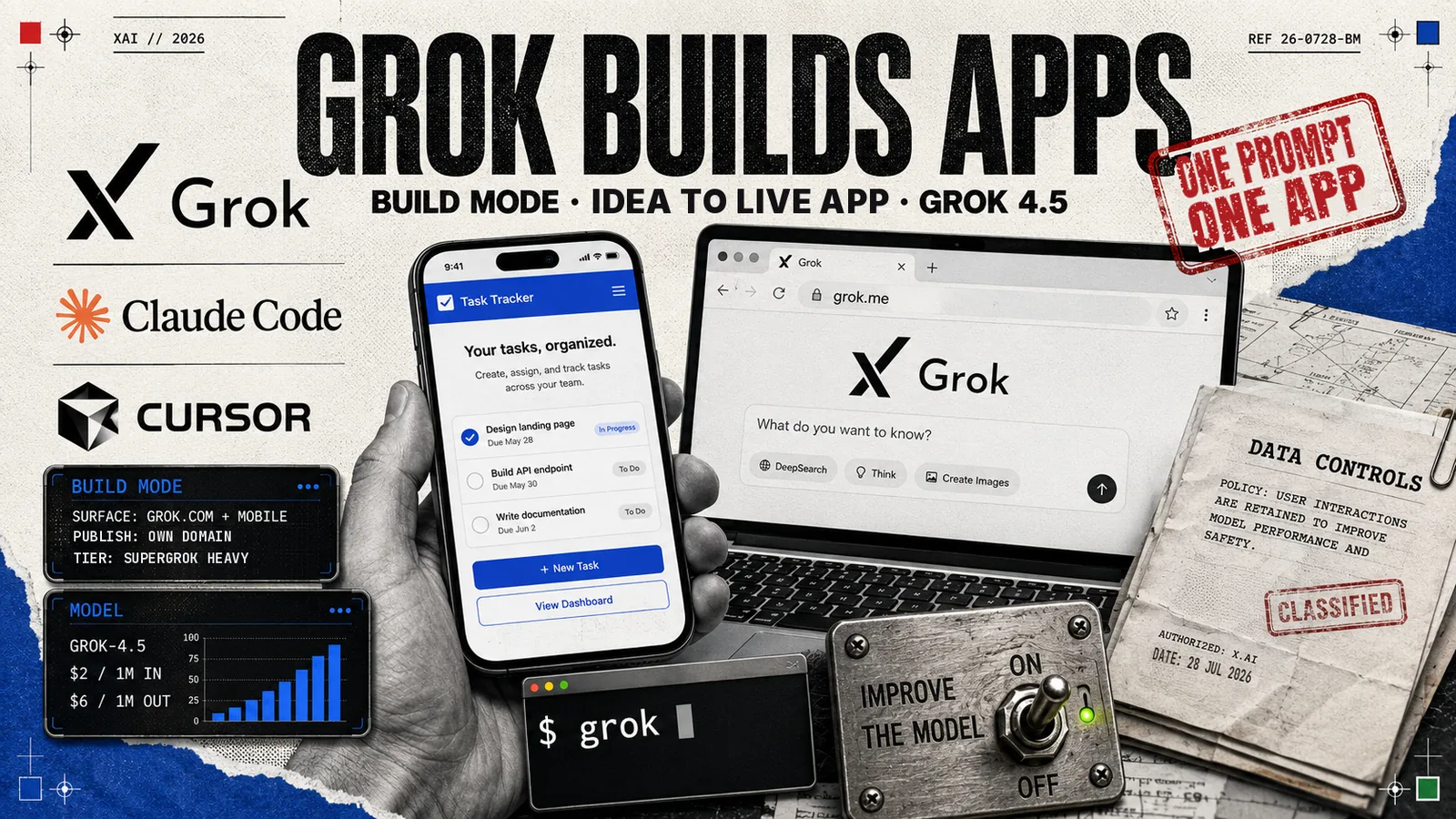
Type “Build me an app to manage our projects” into Grok and it now writes one, runs it in front of you, and puts it on the internet at a URL of its own. SpaceXAI announced Build mode this week for grok.com, iOS and Android, in the company’s own words: “With one prompt, turn an idea into a published product with its own domain. Now available for SuperGrok Heavy users.”
Chat assistants have been writing code for two years. What they have generally handed back is a file, or a canvas, or a snippet to paste somewhere else. Build mode finishes the job: a live preview you can click while it is still being written, edits made by asking for them, and a published link at the end that a colleague can open on their phone. That puts Grok in the company of the coding agents developers already run, Claude Code, Codex and Cursor, with one difference: this one is pointed at people who never open a terminal.
The engine was already in the wild
SpaceXAI built the hard part in public first. Grok Build, the terminal agent, installs with curl -fsSL https://x.ai/cli/install.sh | bash and runs as a fullscreen, mouse-interactive TUI, headlessly with grok -p "..." for scripts and bots, or over the Agent Client Protocol so other applications can drive it. It carries MCP servers, skills, plugins and marketplaces, subagents, a git worktree per session, hooks, a plan mode that edits only the plan until you approve it, and five sandbox profiles from workspace through read-only to strict for untrusted repositories.
Both products run Grok 4.5, which SpaceXAI released to the API on 8 July at $2 per million input tokens and $6 per million output, with a 1 February 2026 knowledge cutoff and reasoning effort set to high by default. So the model behind the one-prompt box is the one developers have been running against real repositories for three weeks, which is a better starting position than a demo built for the launch video.
It reads the setup you already have
The compatibility work is generous, and it is aimed squarely at people who already live in a coding agent. “Grok is fully compatible with Claude Code with zero configuration needed,” the documentation says. It reads Claude Code marketplaces, plugins, skills, MCP servers, agents, hooks and instruction files, CLAUDE.md, Claude.md, CLAUDE.local.md and .claude/rules/, alongside its own .grok/ directory. It reads Cursor hook files too, camelCase event names included. grok import brings old sessions across, and the command line answers to Anthropic’s flag names as aliases, --allowedTools, --append-system-prompt and the rest.
Every one of those is a switching cost removed. A developer already running one of the others points grok at the same repository and keeps their rules, their tools and their hooks.
Publishing is the feature
Hosting is where most one-prompt builders stop and hand you a zip file. Here the deploy is part of the sentence: idea in, published product with its own domain out. The grok.me domain resolves and redirects to grok.com at its root, consistent with finished apps living beneath it, and the announcement adds custom domains for anyone who owns one.
That turns the output from a toy into something you can send to a client. A team lead who describes a task tracker at 9am has a URL by 9.05 that their team can open, use and complain about, which is the fastest route to knowing whether the idea was any good.
One trip to data controls
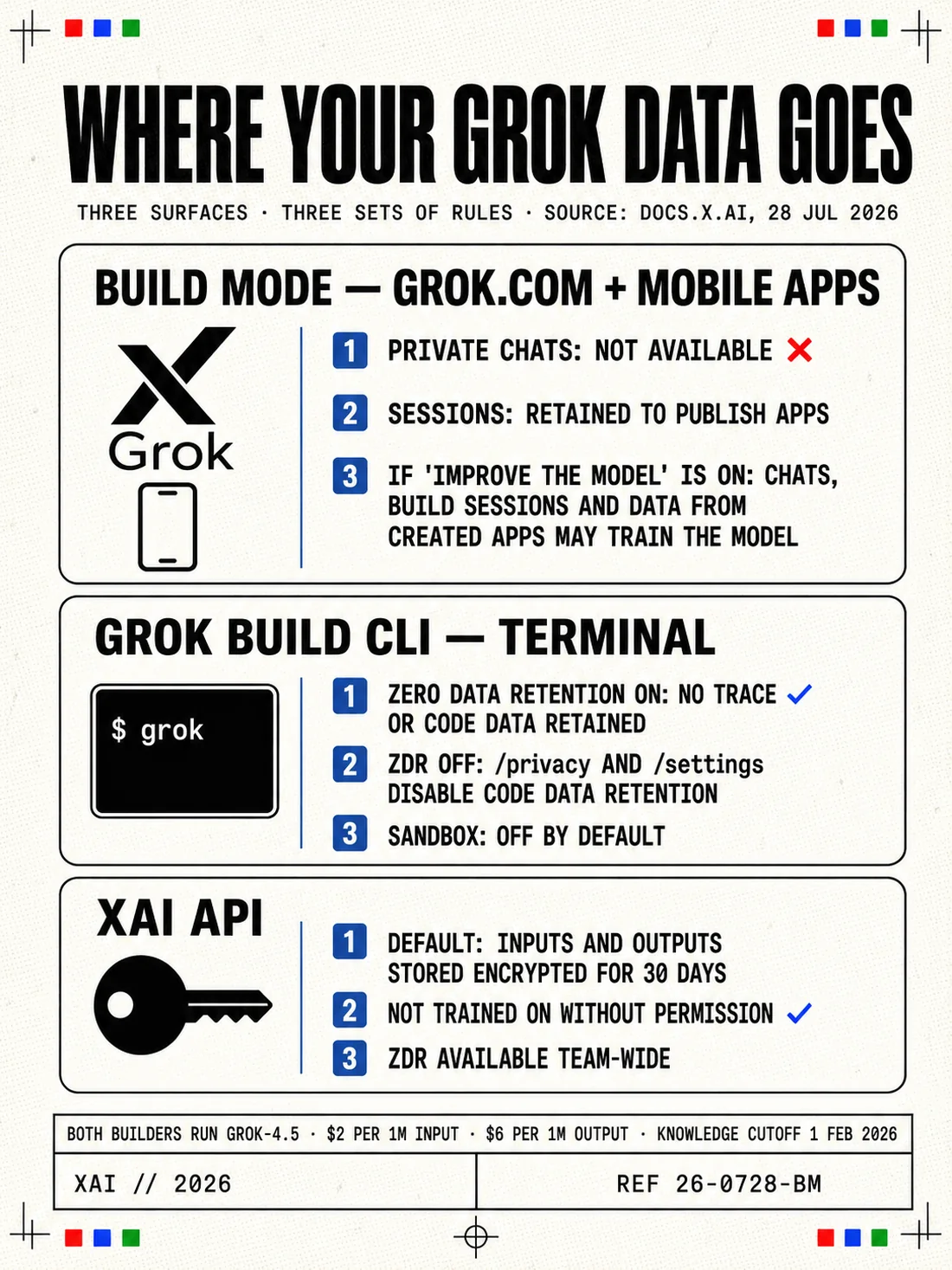
Build mode keeps your work. The documentation explains that chats and build sessions are retained so apps can be developed and published across multiple sessions, which is what lets you come back tomorrow and add a column to yesterday’s app. Private Chats are switched off in Build mode for the same reason. If the “improve the model” toggle is on in grok.com or mobile data controls, those build sessions and data from created apps may be used for product and model improvements. Set it to what you want once, before you build something with real customer data in it. The terminal agent has its own controls, a /privacy command and zero data retention for teams that require it.
From idea to a URL in one message
The measure of a build tool is the distance between wanting something and using it. That distance is now one sentence and a couple of minutes, on a phone, for a subscriber tier rather than an engineering team. Plenty of software should still be built carefully by people who know what they are doing. The rest of it, the internal tracker, the booking form, the dashboard somebody has been asking for since March, has been waiting years for exactly this, and it is here.
Sources
- Grok on X: Build mode announcementx.com
- SpaceXAI docs: Grok Build overviewdocs.x.ai
- SpaceXAI docs: Skills, Plugins and Marketplacesdocs.x.ai
- SpaceXAI docs: Sandboxdocs.x.ai
- SpaceXAI docs: Grok 4.5docs.x.ai
- SpaceXAI docs: Security FAQ, Grok.com Build modedocs.x.ai
- SpaceXAI docs: CLI referencedocs.x.ai